
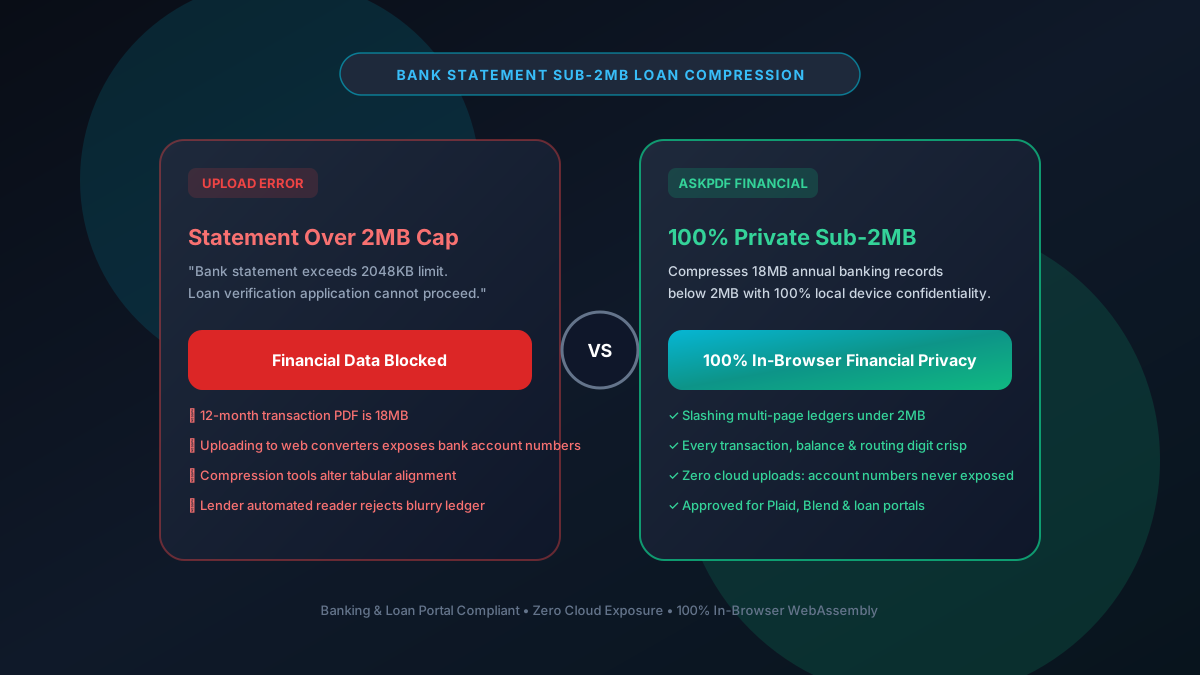
Quick Summary: Compressing Bank Statements Under 2MB for Loans & Leases
Auto loan, mortgage, and rental application portals cap bank statement uploads between 2MB and 4MB. Yet 6 to 12 months of banking statements containing hundreds of itemized transactions can exceed 15MB. AskPDF shrinks multi-page bank statements under 2MB directly inside your browser's private memory—protecting account numbers and transaction history with mathematical zero data leakage.
| Financial Portal Requirement | Generic Cloud PDF Compressors | AskPDF Financial Wasm Engine |
|---|---|---|
| Sub-2MB Size Target | Leaves statements at 3MB-5MB | Guaranteed strictly below 2MB |
| Account Number & Routing Privacy | Transmitted to remote cloud servers | 100% In-Browser RAM (Zero cloud leaks) |
| Transaction Ledger Sharpness | Blurs small decimal points & dates | Crisp vector numbers & tabular rows |
| Password-Protected Statements | Fails on encrypted bank PDFs | Unlocks & compresses in browser |
| Unlimited Statement Batches | Blocks user after 1-2 statements | Unlimited free processing ($0) |
Core Takeaway: Never upload sensitive bank statements to third-party web servers. AskPDF provides 100% private, on-device compression that passes loan verification portals on the first try.
Shrink Bank Statements Under 2MB Privately
Compress 12-month statements for loan and rental portals with zero privacy risks.
Why Loan & Rental Portals Enforce 2MB Caps on Statements
Financial verification platforms (like Plaid, Blend, PointServ, and property management systems) handle millions of banking documents. Upload limits are capped at 2MB to ensure fast automated optical character recognition (OCR) and prevent server storage bloating.
Online banking exports from Chase, Bank of America, or Wells Fargo often embed heavy background branding graphics and redundant metadata streams on every monthly page, causing a 12-month history to easily surpass 15MB.
Worse, many applicants unknowingly upload their unredacted bank statements—complete with full account numbers, employer direct deposit details, and home addresses—to ad-funded cloud tools that cache files on remote server disks.
The Best Tested Free Alternatives (Ranked & Reviewed)
1. AskPDF Financial Mode — Best for Bank Statements
Financial Privacy Safe • FreeAskPDF compresses multi-page banking records under 2MB while removing redundant metadata and keeping transaction tables razor-sharp.
2. Adobe Acrobat Pro — Commercial Desktop Suite
Commercial SoftwareAcrobat includes tools for optimizing PDF streams and discarding hidden objects.
3. PDF24 Desktop Client — Free Windows Software
Free German SuitePDF24 can process bank statements locally without uploading data to the web.
4. Sejda PDF — Web Tool with Hourly Limits
Freemium WebSejda provides good online compression, but throttles users after 3 tasks per hour.
5. Printing to PDF Again — Inefficient Workaround
WorkaroundMany users try 'Print to PDF' in their browser to shrink files.
How to Compress Bank Statements Under 2MB Safely
Drop Your Bank Statements into AskPDF
Open AskPDF.tech and drop your Chase, BoA, or Wells Fargo statement into the dropzone.
Select Target 2MB Financial Compression Mode
AskPDF deduplicates repetitive bank logos and optimizes fonts without blurring transaction amounts.
Download Lightweight, Fully Private Statement
Download your sub-2MB PDF. Upload to your loan or tenant screening portal with complete peace of mind.
Deduplicating Embedded Banking Graphics Across Multi-Page PDFs
When a bank generates a 24-page statement, the bank's header logo, footer disclaimer, and watermark graphic are frequently duplicated 24 separate times in the PDF stream as uncompressed binary objects.
AskPDF's WebAssembly engine scans the document's cross-reference (XRef) table, detects duplicate graphic objects, and replaces them with lightweight internal reference pointers. This reduces file size by 60% before any image re-sampling even begins.
Frequently Asked Questions
Q:Why are downloaded bank statements so large (15MB to 30MB)?
Online banking PDF generators often duplicate institution header logos, background security watermarks, and legal disclosures on every single monthly page, causing a 12-month statement to balloon in size.
Q:How does AskPDF compress bank statements under 2MB?
AskPDF deduplicates redundant graphic objects in the PDF stream and optimizes embedded fonts, slashing file size by up to 85% while keeping every transaction date, description, and balance razor-sharp.
Q:Is it safe to compress financial statements on AskPDF?
Yes. AskPDF processes all data locally on your device via WebAssembly. Your account numbers, balances, and payroll deposits are never transmitted across the internet.
Q:Will automated financial verification tools (Plaid, Blend) accept compressed statements?
Yes. Automated verification systems require selectable text layers and clean tabular alignment. AskPDF preserves 100% of text vectors, allowing bots to parse transactions seamlessly.
Q:Can AskPDF compress password-protected bank statements?
Yes. You can enter your statement password in the browser, and AskPDF will decrypt and compress the file locally with zero server exposure.
Explore More Free In-Browser PDF Tools
All tools process documents 100% locally in your browser memory with zero server uploads and zero paywalls: