
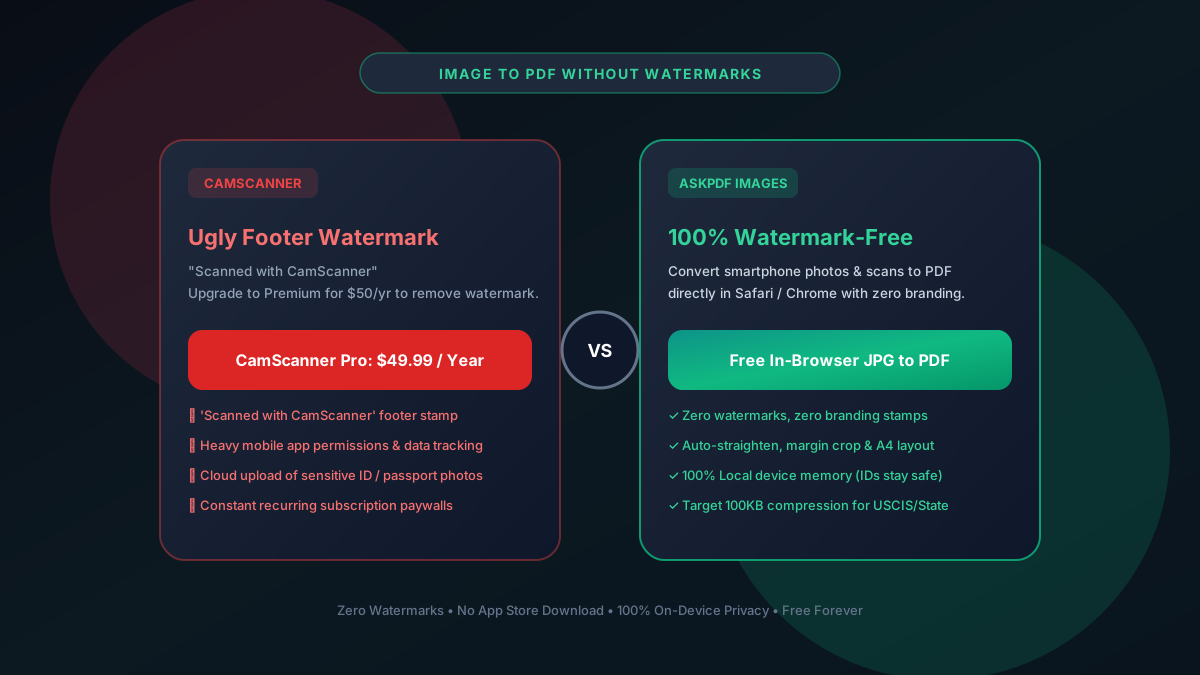
Quick Summary: Best Free CamScanner Alternatives Without Watermarks
CamScanner stamps an unsightly 'Scanned with CamScanner' footer watermark on all free scans and charges $49.99/year to remove it. The top free alternative is AskPDF's Images to PDF tool, which converts camera photos and receipts into clean, watermark-free, government-ready PDFs directly in your mobile or desktop browser.
| Feature / Metric | CamScanner Free App | AskPDF Images to PDF |
|---|---|---|
| Watermarks on Output PDF | 'Scanned with CamScanner' stamp | 100% Clean / Zero Watermarks |
| Mobile App Installation | Heavy 150MB+ mobile app | Zero Install (Runs in Safari/Chrome) |
| Cloud Privacy & ID Scans | Photos synced to cloud servers | 100% In-Device RAM (0 Uploads) |
| Annual Subscription | $49.99 / Year ($4.16/mo) | $0 Free Forever |
| Government 100KB Presets | No (Often outputs 5MB-10MB files) | Dedicated Target 100KB / 200KB |
Core Takeaway: Submitting an official job application, tax return, or court exhibit with a 'Scanned with CamScanner' watermark looks unprofessional. AskPDF's Images to PDF tool generates clean, unwatermarked documents directly in your phone's browser.
Convert Phone Photos to Clean PDFs
Transform camera snapshots, receipts, and IDs into professional watermark-free PDFs.
The Privacy and Watermark Risks of CamScanner
CamScanner has faced multiple controversies regarding aggressive tracking permissions, background advertising modules, and cloud storage policies.
When you use CamScanner to scan sensitive personal documents—such as passports, driver's licenses, or mortgage statements—those high-resolution photos are uploaded to external servers for OCR processing.
To force users into paying $49.99/year, CamScanner permanently burns a watermark stamp into the lower right corner of every exported PDF page, making documents unsuitable for formal or legal submissions.
The Best Tested Free Alternatives (Ranked & Reviewed)
1. AskPDF Images to PDF — Best Zero-Install Browser Tool
Clean • 100% PrivateAskPDF's Images to PDF tool runs inside mobile Safari, Android Chrome, and desktop browsers. It allows you to select photos directly from your phone gallery and bundle them into an unwatermarked PDF.
2. Apple Notes Scanner (iOS Native) — Best for iPhone Users
Built-in iOSApple includes a powerful document scanner directly inside the Notes app and Files app on iPhone and iPad.
3. Google Drive / Files Scan (Android Native) — Best for Android
Built-in AndroidAndroid devices feature a native document scanner integrated into Google Drive and Google Files.
4. Microsoft Lens — Best Free Cross-Platform Mobile App
Free Mobile AppMicrosoft Lens is a free mobile scanner app for iOS and Android that exports clean scans without watermarks.
5. Adobe Scan — Good OCR with Cloud Account
Freemium AppAdobe Scan provides high-accuracy OCR on mobile devices, but requires an active Adobe account.
How to Create Watermark-Free PDFs from Phone Photos
Snap Photos of Your Document
Use your phone's native camera app to take clear, well-lit photos of your paperwork, receipts, or IDs.
Open AskPDF Images to PDF in Browser
Open AskPDF.tech/jpg-to-pdf-without-uploading in Safari or Chrome. Select your photos from your phone gallery.
Download Professional Watermark-Free PDF
Select A4 or Letter page size, arrange pages, and click Generate PDF. Your watermark-free document is ready in 2 seconds.
Why Mobile Browser WebAssembly Beats Heavy Scanner Apps
Modern mobile processors in iPhones and Android phones are exceptionally powerful. Modern mobile browsers compile WebAssembly code to native ARM instructions, allowing high-resolution image bicubic filtering and PDF encoding to run at 60fps directly on your phone.
There is no longer any technical need to install 150MB mobile apps that request invasive contacts and camera permissions just to generate a PDF. AskPDF provides all the image processing power in a lightweight, privacy-respecting browser tab.
Frequently Asked Questions
Q:Why does CamScanner put watermarks on scanned PDFs?
CamScanner burns an unsightly 'Scanned with CamScanner' stamp into the footer of every exported document to force users into paying their $49.99/year subscription.
Q:How can I convert phone photos to PDF without watermarks for free?
Open AskPDF's Images to PDF tool in your mobile browser (Safari or Chrome). Select your photos, adjust layout to A4 or Letter, and download a completely clean, unwatermarked PDF in 2 seconds.
Q:Do I need to install an app to scan documents without watermarks?
No. AskPDF runs entirely in your mobile web browser without installing 150MB+ apps. In addition, iPhone users can use Apple Notes, and Android users can use Google Drive's built-in scanner.
Q:How do I compress photo scans to under 100KB for government portals?
Photos from modern smartphones are often 5MB to 10MB each. After converting photos to PDF on AskPDF, use our Target 100KB compression preset to reduce the file size down to strict USCIS and court portal limits.
Q:Are photos of my driver's license and passport safe on AskPDF?
Yes, 100% safe. Unlike CamScanner which uploads photos to remote servers, AskPDF processes all images locally inside your device's browser memory. Your ID photos never leave your phone or computer.
Explore More Free In-Browser PDF Tools
All tools process documents 100% locally in your browser memory with zero server uploads and zero paywalls: