
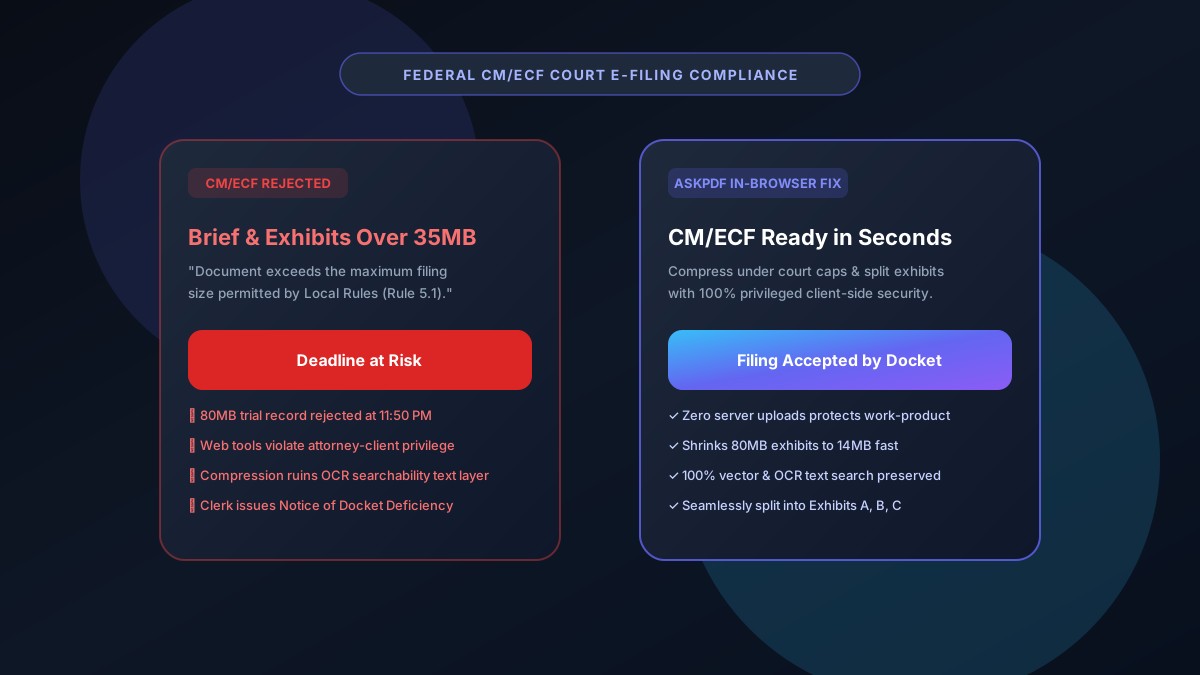
Quick Summary: Meeting Federal Court CM/ECF PDF Size Limits & Docket Rules
Federal district, appellate, and bankruptcy courts enforce strict CM/ECF file upload limits (typically 35MB to 50MB per document). Filings that exceed court size caps are rejected automatically at the docket. AskPDF's legal e-filing suite enables attorneys and paralegals to compress bloated exhibits down to under 15MB and split voluminous briefs into numbered CM/ECF parts—all 100% locally in-browser with zero risk of waiving attorney-client privilege.
| Federal Docket Requirement | Standard Cloud PDF Tools | AskPDF Legal E-Filing Suite |
|---|---|---|
| Court Upload Limit Compliance | Often bloats file or corrupts PDF/A | Precise sub-35MB target compression |
| Attorney-Client Privilege (ABA Rule 1.6) | Files uploaded to 3rd-party servers (Privilege Risk) | 100% Local In-Browser (Zero Data Leaves Device) |
| OCR Text Layer & Searchability | Often flattens or strips text searchability | Preserves 100% vector fonts & OCR text |
| Voluminous Exhibit Splitting | Requires expensive Adobe Acrobat Pro ($239/yr) | Free unlimited instant splitting by page/size |
| Security & Subpoena Vulnerability | Cloud files vulnerable to third-party subpoenas | Zero cloud footprints or server logs |
Core Takeaway: Federal courts strictly reject filings exceeding local CM/ECF size caps. AskPDF provides a zero-upload, privilege-safe pipeline for legal professionals to compress and split briefs and exhibits under court limits without corrupting text searchability.
Prepare CM/ECF Filings Without Waiving Privilege
Compress large trial exhibits or split complex briefs under federal court size limits in seconds.
Why Federal Courts Impose Strict CM/ECF File Size Caps
The Administrative Office of the U.S. Courts designed the Case Management/Electronic Case Files (CM/ECF) system to maintain high availability across all 94 federal judicial districts. Large PDF filings place heavy loads on PACER storage arrays and database indexing nodes.
When a motion, deposition transcript, or trial record exceeds district limits (e.g., 35MB in the Southern District of New York or 50MB in the Central District of California), the docket software halts transmission with a critical error.
Worse, using common online converters to shrink legal files violates ABA Model Rule 1.6 and state bar ethics rules by exposing privileged attorney work-product to commercial cloud vendors.
The Best Tested Free Alternatives (Ranked & Reviewed)
AskPDF Legal Suite
100% Privilege-Safe (Free)In-browser WebAssembly toolkit designed specifically for litigation teams needing rapid, secure exhibit compression and document splitting.
Adobe Acrobat Pro
Enterprise Standard ($239/yr)Traditional desktop PDF software providing comprehensive pre-flight verification and optimization profiles.
Public Cloud PDF Tools
Severe Ethics RiskGeneral web converters that process legal documents on remote shared servers.
How to Compress & Split Voluminous Exhibits for CM/ECF Filing
Drag & Drop Legal Brief or Exhibits
Open AskPDF Split or Compress tool and drop your oversized PDF into the window.
Apply Legal E-Filing Compression
Select high-clarity legal compression to downsample high-DPI scans while preserving crisp OCR typography.
Split into Designated Docket Exhibits (If Required)
Divide 100MB+ binders into clean 20MB chunks (Exhibit 1, Exhibit 2) and download instant CM/ECF-ready PDFs.
Preserving PDF/A Vector Typography and OCR Layers
Local court rules frequently mandate that electronic filings remain fully text-searchable. Standard lossy compressors rasterize entire pages into low-resolution JPEGs, destroying text searchability and triggering deficiency notices.
AskPDF parses PDF content streams directly in memory using WebAssembly, isolating high-resolution raster scans for intelligent downsampling while leaving vector character glyphs, CIDFont dictionaries, and ToUnicode mappings untouched.
Frequently Asked Questions
Q:What is the standard PDF file size limit for federal court CM/ECF dockets?
Federal district and bankruptcy courts set CM/ECF file caps between 10MB and 50MB (with 35MB being standard in districts like SDNY, EDNY, and CDCA). Filings exceeding these limits trigger immediate automated docket rejection.
Q:Why is uploading confidential legal briefs to online converters risky?
Online PDF converters upload documents to third-party cloud servers. Under ABA Model Rules 1.6 (Confidentiality) and federal discovery standards, sending unredacted depositions, trade secrets, or attorney work-product to unknown servers can waive attorney-client privilege.
Q:How does AskPDF guarantee attorney-client privilege during compression?
AskPDF executes all PDF processing directly within your web browser using WebAssembly. Files never leave your local machine, meaning zero network transit, zero server storage, and zero risk of privilege waiver or data exposure.
Q:Does compressing a PDF remove the searchable text layer required by CM/ECF?
No. Federal courts require PDF/A compliant, text-searchable filings. AskPDF's legal algorithm compresses embedded high-resolution scanned graphics while preserving vector fonts, OCR text streams, and bookmarks intact.
Q:How should paralegals handle a 100MB trial exhibit bundle that exceeds court caps?
Use AskPDF to split the master exhibit bundle into designated 20MB chunks (e.g., Exhibit A Part 1, Exhibit A Part 2) and compress each segment under the local district court threshold in seconds.
Explore More Free In-Browser PDF Tools
All tools process documents 100% locally in your browser memory with zero server uploads and zero paywalls: