
Quick Summary: Compressing Tax Returns & Forms for IRS Portal Uploads
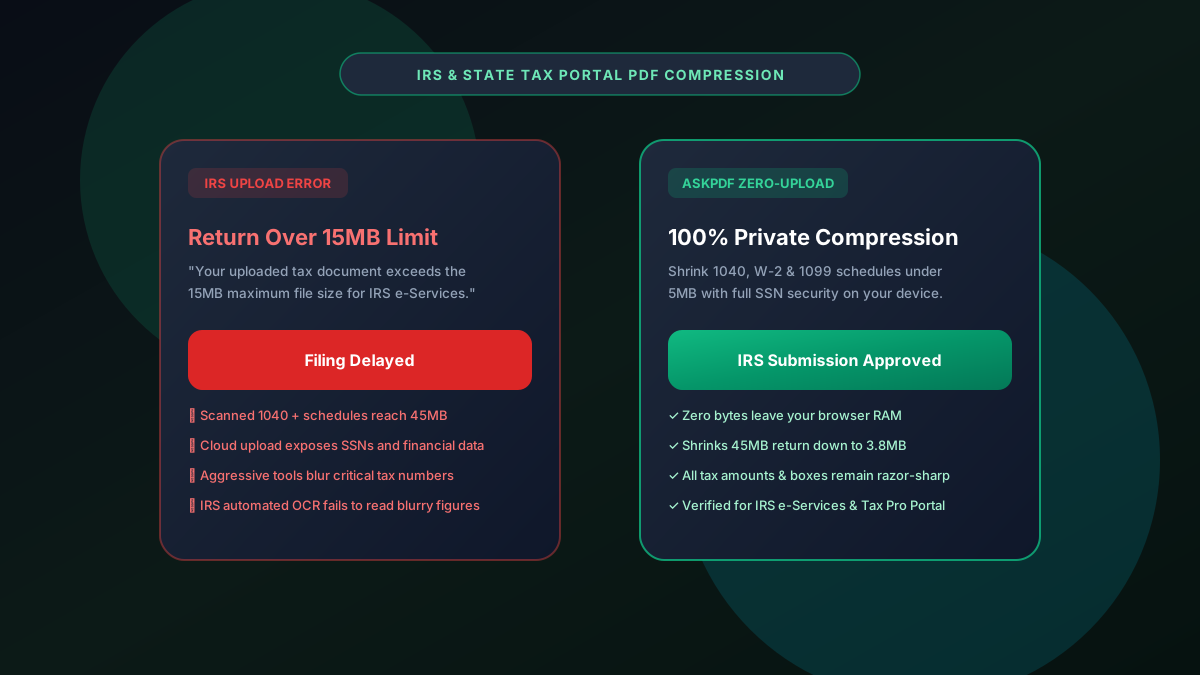
The IRS Document Upload Tool and e-Services portals enforce a strict 15MB file size limit per document. Scanned multi-year tax packages, Form 1040 schedules, and corporate filings frequently reach 40MB+, triggering submission errors. AskPDF's Tax Document Compressor reduces oversized returns to under 5MB in seconds directly in your web browser—guaranteeing 100% security for sensitive Social Security Numbers, Employer Identification Numbers, and financial statements without cloud server transmission.
| IRS Portal Feature | Standard Web PDF Compressor | AskPDF Tax Document Suite |
|---|---|---|
| SSN & Financial Data Security | Files uploaded to third-party cloud servers | 100% In-Browser Memory (Zero Cloud Upload) |
| 15MB IRS Upload Ceiling | Trial & error size reduction | Optimized sub-5MB output for instant acceptance |
| Numeric & Decimal Clarity | Heavy blur on small schedule figures | High-contrast preservation on line items |
| Multi-Page Return Handling | Paywall after 20 pages | Unlimited pages & schedules 100% free |
| Federal Privacy Compliance | Commercial tracking & server retention | Zero logs, zero cookies, zero data retention |
Core Takeaway: Tax documents contain sensitive identity and financial information that should never touch public servers. AskPDF compresses returns under the IRS 15MB limit with complete client-side security and crystal-clear numerical clarity.
Compress IRS Tax Returns Safely
Shrink multi-page 1040s, schedules, and W-2s under 15MB without exposing SSNs to the cloud.
Why the IRS Imposes a 15MB Document Ceiling
The IRS Document Upload Tool processes millions of taxpayer responses, audit documentations, and identity verifications each year. To prevent distributed Denial of Service (DoS) conditions and maintain reliable indexing, the agency caps all file uploads at exactly 15MB.
Scanned tax documents—especially multi-page state and federal returns with attached receipts, bank statements, and 1099s—often balloon past 30MB due to scanner software default settings.
Attempting to upload oversized documents produces the generic error 'File exceeds maximum allowed size', delaying crucial tax dispute resolutions and penalty abatements.
The Best Tested Free Alternatives (Ranked & Reviewed)
AskPDF Tax Suite
100% Private (Recommended)Zero-knowledge client-side compressor engineered specifically for tax forms, payroll documents, and accounting records.
Adobe Acrobat Pro
Desktop Software ($239/yr)Desktop utility that optimizes tax PDFs locally on your machine.
Cloud Conversion Sites
Severe Identity Theft HazardGeneric cloud-based tools that ingest files on overseas servers.
How to Compress Tax Returns for IRS Portal Acceptance
Select Your Tax Package
Drag and drop your scanned Form 1040, schedules, or W-2 PDF into AskPDF.
Select Financial Compression Mode
AskPDF's engine isolates numerical fields and background scanner artifacts to shrink size while keeping text sharp.
Download & Upload to IRS Portal
Download your compressed sub-5MB tax PDF and upload it immediately to IRS e-Services or the Document Upload Tool.
High-Fidelity Numeric Preservation for IRS OCR Systems
IRS automated intake systems rely heavily on Optical Character Recognition (OCR) to ingest tax forms and match reported figures against 1099 and W-2 reporting databases.
When traditional lossy compressors degrade image contrast, decimal points and commas can vanish or blend into numbers, risking manual audit triggers. AskPDF applies high-frequency contrast sharpening to numeric glyphs while compressing solid white and gray backgrounds into ultra-compact run-length streams.
Frequently Asked Questions
Q:What is the maximum file size for IRS document upload portals?
The IRS Document Upload Tool and e-Services portals enforce a strict 15MB per file ceiling. Uploads exceeding 15MB are immediately blocked, delaying tax notice resolution and audit submissions.
Q:Why should CPAs and taxpayers avoid standard online PDF compressors for tax returns?
Tax returns (Form 1040, W-2, 1099, Schedule C) contain Social Security Numbers, Employer Identification Numbers, banking details, and income figures. Standard web compressors store uploaded PDFs on external servers, exposing taxpayers to identity theft and data leaks.
Q:How does AskPDF protect Social Security Numbers and financial schedules?
AskPDF operates entirely client-side via in-memory WebAssembly. Your tax files are processed strictly inside your local browser instance without a single packet transmitting across the internet.
Q:Will compressing a 50-page scanned return blur accounting schedules or tax numbers?
No. AskPDF employs high-fidelity thresholding designed for financial forms, ensuring small numeric values, decimals, and IRS form boxes remain razor-sharp and legible for IRS revenue agent review.
Q:Can I compress multi-year tax filings together for state and federal portals?
Yes. You can compress multi-page PDF tax packages of any size down to under 5MB or 10MB in seconds, making them universally accepted across federal IRS and state revenue agency portals.
Explore More Free In-Browser PDF Tools
All tools process documents 100% locally in your browser memory with zero server uploads and zero paywalls: