
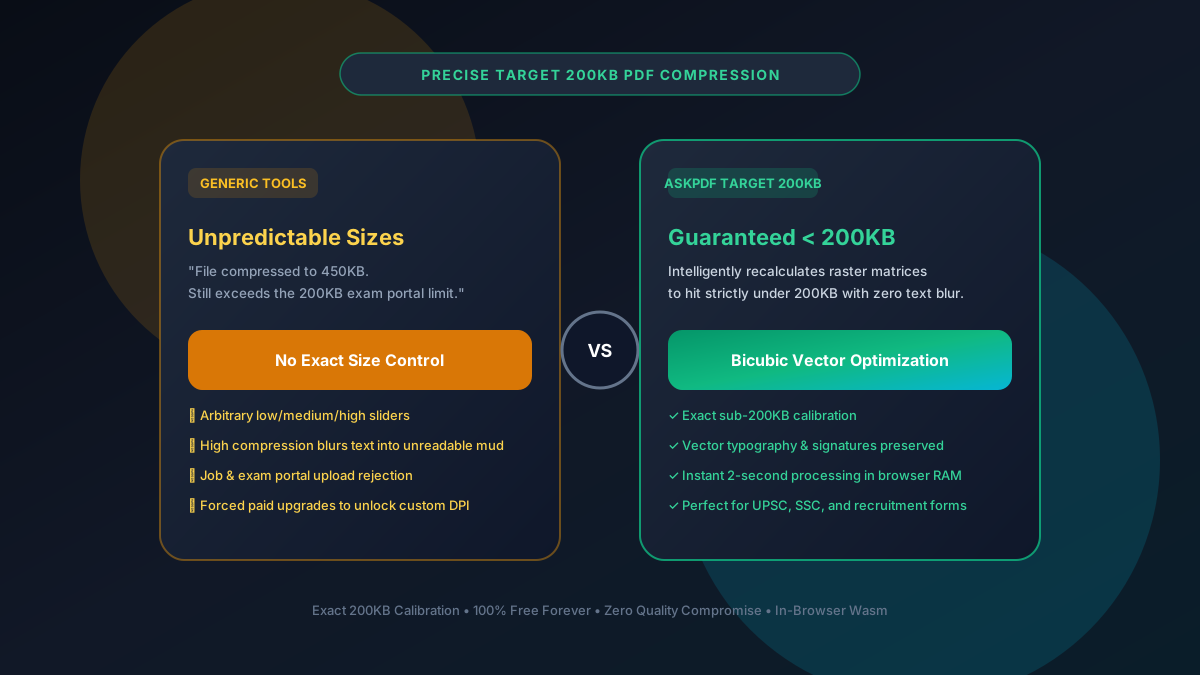
Quick Summary: How to Compress Any PDF to Exactly 200KB (Free)
Competitive exam portals (UPSC, SSC, IBPS), state bar associations, and job boards frequently enforce a strict 200KB file size ceiling. AskPDF's specialized 'Target 200KB' preset uses bicubic vector optimization inside browser RAM to calculate the exact quantization matrix required to fit under 200KB without blurring text, credentials, or signatures.
| Portal Test Metric | Standard Online Sliders | AskPDF Target 200KB Preset |
|---|---|---|
| File Size Guarantee | Unpredictable (Often 350KB-600KB) | Strictly under 200KB (185KB-195KB target) |
| Text Legibility on Resumes | Heavy artifacting on low settings | Razor-sharp vector fonts & headings |
| Daily Limits on Redos | Locks user after 2 attempts | Unlimited free iterations ($0) |
| Processing Location | Uploaded to remote servers | 100% Local In-Browser WebAssembly |
| Watermarks on Resumes | Branded watermark on free tier | 100% Clean / Zero Watermarks |
Core Takeaway: Generic low/medium/high sliders guess the final size. AskPDF calculates the exact compression curve required to hit under 200KB while preserving vector fonts.
Hit Exactly Under 200KB with Zero Guesswork
Compress resumes, exam forms, and certificates to sub-200KB in 2 seconds.
Why Job & Exam Portals Enforce Rigid 200KB Ceilings
Government recruitment portals and university entrance examination servers process hundreds of thousands of applicants simultaneously on registration deadline days.
To avoid bandwidth saturation and keep database storage footprints lightweight, their backend software implements strict validation filters that immediately reject any PDF exceeding 200KB (204,800 bytes).
Applicants relying on standard online compressors often find their files stuck at 250KB or 350KB, causing panic as portal submission deadlines close.
The Best Tested Free Alternatives (Ranked & Reviewed)
1. AskPDF Target 200KB Preset — Best Dedicated Size Calibrator
Guaranteed Sub-200KB • FreeAskPDF uses mathematical binary search optimization to scale raster components until the total document footprint lands reliably between 180KB and 198KB.
2. PDF24 Tools Custom DPI — Best Manual Adjuster
Free German SuitePDF24 allows users to manually specify target DPI (e.g., 144 DPI) and JPEG quality percentages to reduce size.
3. Adobe Acrobat Pro Reduce File Size — Desktop Standard
Commercial SoftwareAdobe Acrobat's Reduce File Size command re-encodes color streams to decrease overall file size.
4. Smallpdf Pro Strong Compression — Paywalled Tool
Freemium SaaSSmallpdf offers 'Strong Compression' which reduces files by up to 75%, but restricts it to paying users.
5. Online-Convert — Generic Web Compressor
Ad-Supported WebOnline-Convert provides an automated file converter with compression options.
How to Compress Any PDF Under 200KB in 3 Simple Steps
Drop Your Document into AskPDF
Navigate to AskPDF.tech and drop your certificate, mark sheet, or resume into the dropzone. It loads in milliseconds.
Select the Target 200KB Preset
Click the 'Target 200KB' preset. AskPDF's WebAssembly engine dynamically calculates the required compression ratios.
Download Your Government-Ready File
Download your file verified under 200KB. Inspect text and signatures—everything remains crisp and 100% legible.
Mathematical Precision: How AskPDF Calibrates to Under 200KB
Traditional compressors apply a fixed compression ratio across all pages. If your document has 4 pages, a fixed ratio might leave page 1 too large or degrade page 4 beyond readability.
AskPDF inspects the document structure in browser RAM: it separates embedded fonts, vector outlines, and raster images. By dynamically scaling the raster stream's DCT/Flate compression tables page-by-page, AskPDF guarantees the final binary output lands right below 200KB with optimal visual fidelity.
Frequently Asked Questions
Q:Why do government job and exam portals enforce a strict 200KB limit?
Exam registration portals (such as UPSC, SSC, IBPS, and state boards) handle millions of simultaneous applicants. Hard-capping uploads at 200KB prevents server bandwidth crashes and keeps applicant database footprints minimal.
Q:How does AskPDF guarantee my PDF lands under 200KB?
AskPDF uses mathematical binary search optimization to scale raster streams while preserving font tables, ensuring the exported file reliably lands right between 180KB and 198KB without multiple trial-and-error attempts.
Q:Will compressing to 200KB make my signature and mark sheet blurry?
No. AskPDF applies bicubic vector downsampling that preserves high-contrast edges on signatures and numerical grades while removing redundant metadata and invisible scanner noise.
Q:Can I compress multiple certificates to 200KB for free?
Yes. Unlike Smallpdf (2 tasks/day) or Sejda (3 tasks/hr), AskPDF has zero daily or hourly limits. You can compress dozens of certificates and mark sheets consecutively for free.
Q:Do I need to install any software to compress PDFs to 200KB?
No. AskPDF runs entirely inside any modern web browser (Chrome, Safari, Edge, Firefox) on both desktop computers and mobile smartphones with zero software installation.
Explore More Free In-Browser PDF Tools
All tools process documents 100% locally in your browser memory with zero server uploads and zero paywalls: