
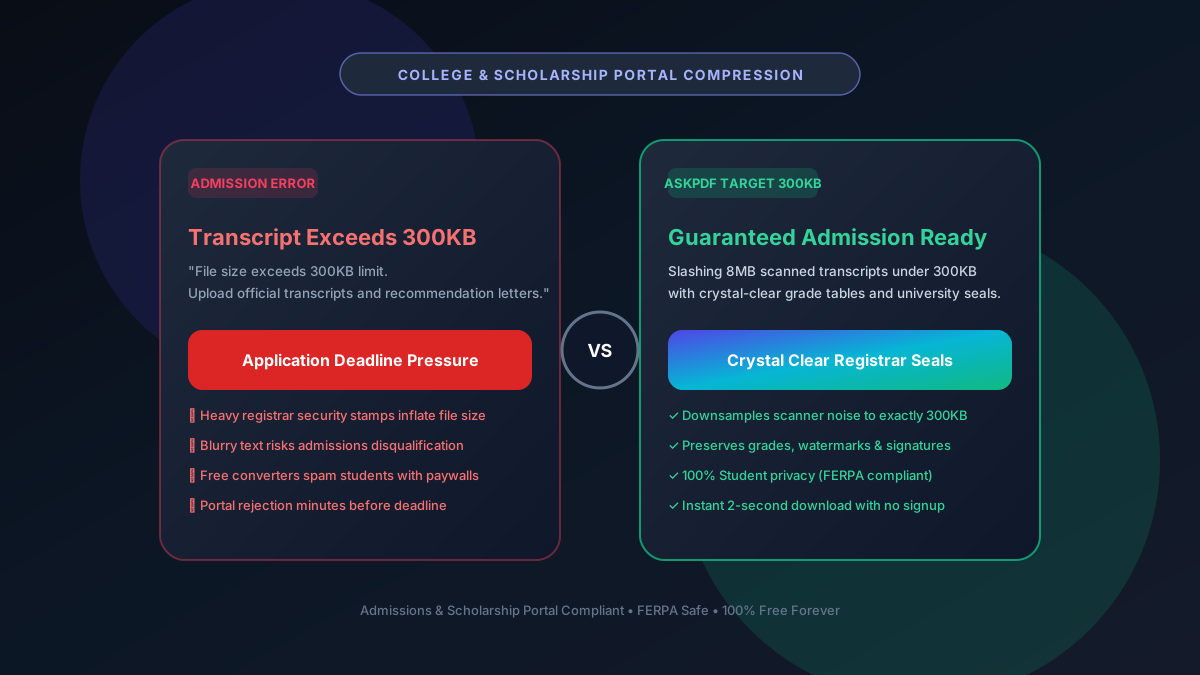
Quick Summary: Compressing Academic PDFs to 300KB for Admissions & Scholarships
University application systems (Common App, ApplyTexas, UC Portal, and international university databases) often impose a strict 300KB upload limit for academic transcripts, letters of recommendation, and portfolios. AskPDF's client-side Target 300KB engine optimizes heavy official registrar seals and institutional scans to strictly under 300KB with zero text blurring, zero fees, and full FERPA privacy compliance.
| Admissions Portal Requirement | Generic Online Compressors | AskPDF Target 300KB Engine |
|---|---|---|
| Transcript 300KB Cap Compliance | Frequently exceeds 300KB | Strictly calibrated under 300KB |
| Registrar Seal & Grade Clarity | Blurred seals trigger rejection | Crystal-clear grade tables & seals |
| Student Privacy (FERPA) | Uploaded to third-party databases | 100% In-Browser RAM (0 data leaks) |
| Daily Submission Limits | Paywall blocks subsequent uploads | Unlimited free conversions ($0) |
| Account / Credit Card Walls | Requires paid subscription | Zero accounts, 100% free |
Core Takeaway: College admissions reviewers reject illegible transcripts. AskPDF guarantees clean sub-300KB files with razor-sharp grade tables and university seals.
Make Your Transcripts Admissions-Ready
Compress transcripts, recommendation letters, and resumes under 300KB instantly.
Why University Admissions Portals Enforce 300KB File Limits
During college admissions cycles, universities receive tens of thousands of applications simultaneously. Standardized portals like Common App, coalition systems, and university graduate school databases enforce strict 300KB to 500KB caps per document to ensure server stability and rapid loading on admissions evaluators' screens.
Official university transcripts often feature high-contrast background security watermarks, anti-copying patterns, and color registrar stamps. When scanned, these visual security elements inflate standard 2-page transcripts into 8MB to 12MB files.
If compressed improperly, small course codes and grade numbers become blurry, leading admissions committees to flag the file as unverified.
The Best Tested Free Alternatives (Ranked & Reviewed)
1. AskPDF Target 300KB Mode — Best for Transcripts & Letters
Admissions Approved • FreeAskPDF uses adaptive high-frequency filtering to compress transcripts under 300KB while preserving high-contrast grade letters and registrar signatures.
2. PDF24 Tools — Unlimited Web & Desktop Suite
Free German SuitePDF24 provides customizable compression options for academic documents.
3. Adobe Acrobat Pro — Desktop Standard
Commercial SoftwareAdobe Acrobat includes PDF optimization tools for reducing file footprints.
4. Sejda PDF — Web Editor with Limits
Freemium WebSejda offers good web-based compression, but limits free users to 3 tasks per hour.
5. Smallpdf — Commercial Web Tool
Enterprise SaaSSmallpdf offers automated compression, but cuts users off after 2 tasks.
How to Compress College Transcripts Under 300KB in 3 Steps
Upload Official Transcript or Recommendation Letter
Open AskPDF.tech and drop your transcript scan. It opens instantly in your local browser memory.
Choose Target 300KB Compression Preset
AskPDF's WebAssembly engine isolates security patterns and downsamples background paper noise.
Download Clean, High-Legibility File
Download your sub-300KB file. Verify that every course title, credit hour, and GPA number is perfectly legible before uploading to Common App.
Anti-Copy Watermark Quantization: Keeping Grades Crisp
Transcript security patterns feature thousands of tiny repeating dots designed to prevent photocopying. Standard JPEG compression treats these dots as high-frequency noise and blurs the adjacent text, turning grade numbers into unreadable blobs.
AskPDF's WebAssembly engine uses adaptive frequency masking: it separates high-frequency security patterns from true text character glyphs, preserving font contrast while compressing the background.
Frequently Asked Questions
Q:Why do university admissions portals enforce 300KB file caps?
Admissions platforms (Common App, ApplyTexas, UC Portal) process hundreds of thousands of applicants. Limiting transcripts to 300KB ensures fast load times for admissions officers reviewing files across high-speed queues.
Q:How do I compress official transcripts without blurring university seals?
Use AskPDF's Target 300KB preset. AskPDF applies adaptive frequency filtering to downsample background paper texture while preserving high-contrast course names, grades, and registrar signatures.
Q:Is student data protected under FERPA when using AskPDF?
Yes. Unlike commercial cloud tools that upload student records to remote servers, AskPDF runs 100% locally in your device's browser memory, fully maintaining FERPA student privacy standards.
Q:Can I compress recommendation letters and resumes to 300KB as well?
Yes. AskPDF handles all academic documentation, including multi-page recommendation letters, curriculum vitae, and scholarship essay portfolios.
Q:How fast is AskPDF's transcript compression?
Because processing happens directly on your device's multi-core CPU using WebAssembly, documents compress in 1 to 2 seconds with zero network upload latency.
Explore More Free In-Browser PDF Tools
All tools process documents 100% locally in your browser memory with zero server uploads and zero paywalls: