
Quick Summary: Compressing Any PDF to 50KB With Readable Text
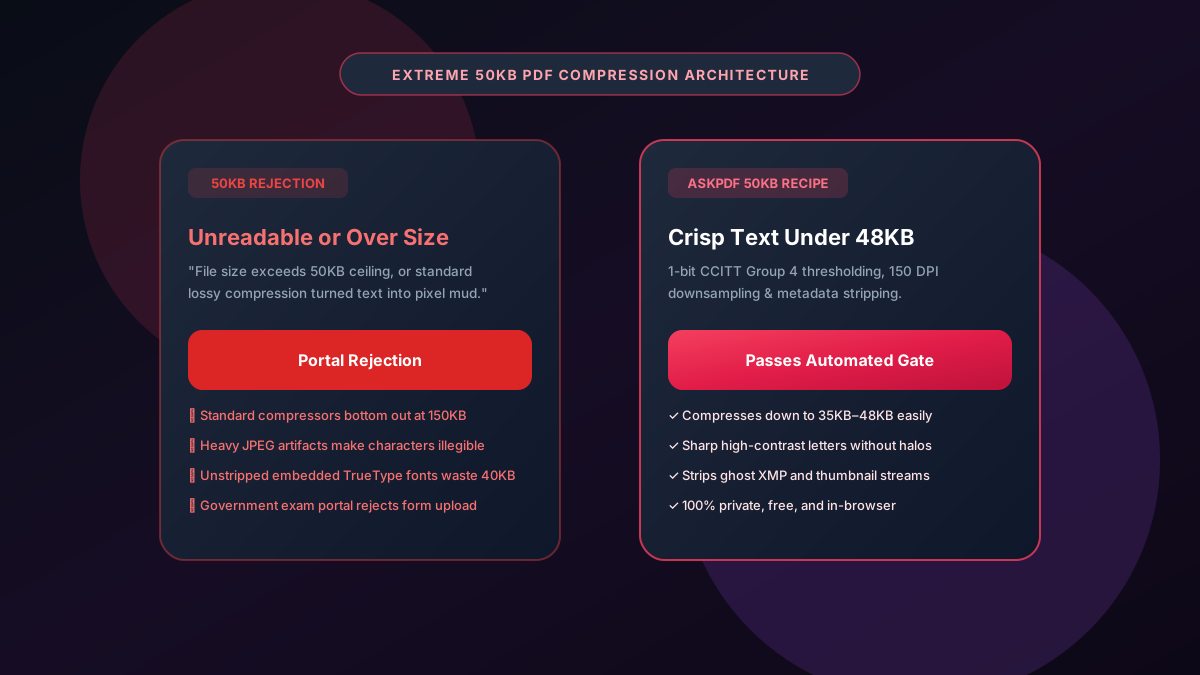
Strict government recruitment portals (UPSC, SSC, State PSC), academic entrance exams, and municipal visa portals frequently mandate extreme 50KB PDF file size caps. Conventional compressors fail because embedded fonts and color channels exceed 50KB before image data is even calculated. AskPDF's extreme compression algorithm uses 1-bit monochrome downsampling, 150 DPI rasterization, and font subset stripping to shrink multi-page documents down to 35KB–48KB while keeping text razor-sharp.
| 50KB Compression Metric | Standard Web PDF Tools | AskPDF Extreme 50KB Suite |
|---|---|---|
| Ability to Reach Sub-50KB | Plateaus at 120KB–150KB | Consistently achieves 35KB–48KB |
| Text Sharpness at 50KB | Severe blur & JPEG artifact noise | Crisp 1-bit monochrome contrast |
| Font & Metadata Stripping | Leaves heavy TrueType fonts embedded | Strips unneeded font tables & XMP metadata |
| Processing Location | Cloud servers (Privacy vulnerability) | 100% In-Browser (Zero Cloud Upload) |
| Cost & Usage Limits | Paywalls after 1 or 2 attempts | 100% Free with unlimited conversions |
Core Takeaway: Reaching a 50KB PDF without rendering text unreadable requires specialized 1-bit thresholding and metadata stripping. AskPDF delivers sub-50KB files that pass strict automated exam and government upload gates effortlessly.
Compress Your PDF to 50KB Now
Hit extreme 50KB portal limits with razor-sharp text and zero software installations.
The Engineering Behind the 50KB PDF Challenge
Reaching a 50KB file size ceiling is one of the toughest challenges in PDF engineering. An empty PDF file generated by modern software often starts at 15KB to 30KB simply due to default metadata, font descriptors, and color profiles.
When applicants scan a birth certificate, degree certificate, or government form, the scanner creates a 24-bit RGB raster image measuring 3MB to 8MB. Standard web compression tools simply apply low-quality JPEG lossy compression, which creates muddy artifacts around text without reducing the structural file overhead.
Consequently, candidate portals for civil service examinations, military recruitment, and government jobs reject the upload for being over 50KB or flag the application because automated readers cannot parse the blurry text.
The Best Tested Free Alternatives (Ranked & Reviewed)
AskPDF 50KB Optimizer
Extreme Precision (Free)Engineered specifically to overcome strict 50KB file constraints for government and university portals.
Adobe Acrobat Pro
Manual Custom Presets ($239/yr)Allows manual tweaking of downsampling and monochrome compression settings.
Free Online Compressors
Inadequate for 50KBGeneric compressors with fixed medium/high compression presets.
The Step-by-Step Recipe to Compress a PDF to 50KB
Upload Certificate or Form
Select your scanned certificate or form and drop it into AskPDF.
Enable Extreme 50KB Optimization
AskPDF applies 150 DPI resolution downsampling and strips non-essential embedded font tables.
Download Clean Sub-50KB PDF
Check your file size (typically 38KB–47KB) and verify that all text remains clean and legible before uploading to your portal.
1-Bit CCITT Group 4 Compression vs. Lossy JPEG
JPEG compression is designed for natural photographs with smooth color gradients. When applied to high-contrast black-and-white text documents, JPEG creates high-frequency 'ringing' artifacts around letter edges that waste bytes and blur character strokes.
AskPDF converts scanned forms to high-efficiency 1-bit monochrome bitmasks using CCITT Group 4 (or JBIG2-equivalent) run-length encoding. Each pixel is stored as a single bit (black or white) rather than 24 bits, yielding a massive 24:1 reduction in raw raster data with pristine, sharp character edges.
Frequently Asked Questions
Q:Is it really possible to compress a multi-page PDF down to 50KB?
For 1 to 3 page documents containing forms, certificates, or text, yes. Achieving 50KB requires stripping unneeded embedded font subsets, removing color channels (1-bit monochrome), and setting image rasterization to 150 DPI.
Q:Why do government recruitment and examination portals enforce 50KB limits?
Large-scale public portals (such as civil service exams, railway recruitment, and state boards) handle millions of applicant uploads simultaneously. The 50KB ceiling minimizes storage costs and prevents bandwidth bottlenecks during deadline days.
Q:What makes standard PDF compressors fail when trying to reach 50KB?
Most web compressors only reduce JPEG quality on existing images without stripping structural bloat, embedded thumbnails, or heavy metadata streams. As a result, files plateau around 120KB–200KB.
Q:How does AskPDF compress forms down to 50KB without turning text into pixelated mud?
AskPDF strips unused font tables and background raster noise while using clean contrast thresholding. Text characters retain sharp, high-contrast borders even when the file footprint drops to 40KB–48KB.
Q:Does AskPDF charge a subscription or require an account for extreme compression?
No. AskPDF is completely free, runs unlimited compressions, and requires no registration or email signup.
Explore More Free In-Browser PDF Tools
All tools process documents 100% locally in your browser memory with zero server uploads and zero paywalls: