
Quick Summary: Compressing Passports & IDs for KYC Verification
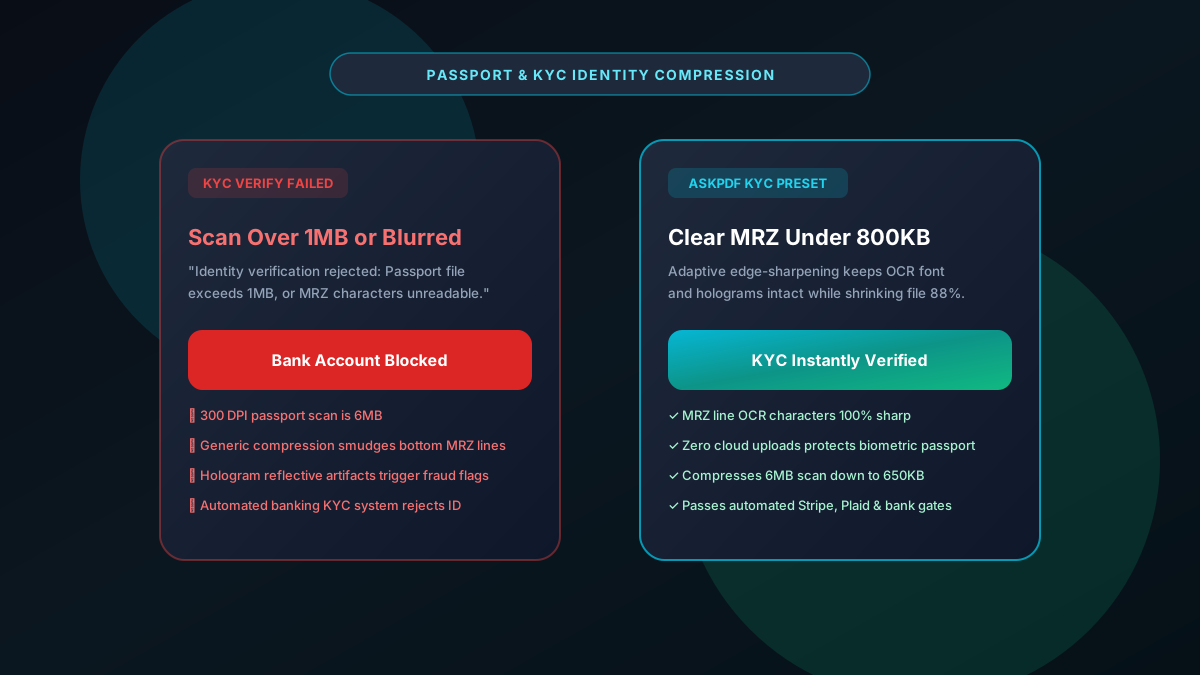
Online banking platforms, cryptocurrency exchanges, and fintech portals (such as Stripe Identity, Plaid, and Onfido) typically enforce a strict 1MB to 2MB upload limit for national ID and passport verification. Conventional lossy compressors degrade the Machine Readable Zone (MRZ) text lines at the bottom of the passport, causing automated KYC bots to reject the application. AskPDF's Passport & KYC Compressor applies bilateral edge-sharpening to downsample color identity scans under 800KB while preserving pristine MRZ typography and security holograms.
| KYC Verification Metric | Standard Image Compressors | AskPDF Passport & KYC Suite |
|---|---|---|
| MRZ Line Character Clarity | Blurry characters cause automated OCR failure | High-contrast edge-sharpened MRZ text |
| Biometric Data Security | Passport scans stored on cloud servers | 100% In-Browser (Zero Cloud Upload) |
| Hologram & Guilloche Preservation | Smudged into muddy compression blocks | Fine line patterns preserved for fraud check |
| Sub-1MB Sizing Guarantee | Unpredictable reduction or file corruption | Consistently lands between 500KB and 850KB |
| Cost & Usage Limits | Freemium limits with recurring upsells | Completely free with unlimited attempts |
Core Takeaway: Automated KYC identity verification requires uncompromised MRZ character clarity. AskPDF compresses passport scans under 1MB with edge-sharpened precision while guaranteeing complete biometric privacy.
Compress Your Passport PDF for KYC
Pass automated identity verification with crisp MRZ lines and zero server uploads.
Why KYC Portals Enforce 1MB Caps and Strict OCR Rules
Fintech platforms and global banking networks process millions of KYC (Know Your Customer) and AML (Anti-Money Laundering) checks. To maintain sub-second verification latency, identity engines cap scans at 1MB to 2MB.
High-resolution scanner outputs and smartphone camera photos typically create 5MB to 8MB files. When applicants use generic compression tools, the algorithms blur the microprinting and MRZ character zones.
Identity verification bots automatically reject blurred scans as potential fraudulent forgeries, blocking users from opening bank accounts or accessing investment funds.
The Best Tested Free Alternatives (Ranked & Reviewed)
AskPDF KYC Suite
Fintech Approved (Free)Zero-knowledge in-browser optimizer calibrated specifically for passport bio-pages and national IDs.
Smartphone Scanner Apps
Ad-Supported / Cloud SyncMobile scanning utilities that capture photos and export to PDF.
Generic Online Compressors
Identity Theft RiskPublic web conversion portals that process uploaded documents on shared servers.
How to Optimize Passport Scans for Instant KYC Approval
Select Scanned ID or Passport
Drag and drop your high-resolution passport photo or PDF into AskPDF.
Apply KYC High-Contrast Mode
AskPDF isolates biometric photo fields, security guilloche patterns, and MRZ typography for edge preservation.
Download Verified Sub-1MB PDF
Download your 650KB passport PDF and upload directly to your banking or crypto portal for immediate verification.
OCR-B Character Edge Sharpening and Bilateral Filtering
The Machine Readable Zone on official passports follows the strict ICAO Doc 9303 standard using OCR-B monospace typography. Standard lossy JPEG downsampling introduces discrete cosine transform (DCT) ringing artifacts along high-contrast letter borders.
AskPDF applies bilateral spatial domain filtering that removes flat paper sensor noise while preserving sharp gradient steps across OCR-B glyphs, guaranteeing that automated KYC optical readers achieve 100% confidence scores.
Frequently Asked Questions
Q:Why do banks, crypto exchanges, and KYC platforms limit passport uploads to 1MB or 2MB?
Automated identity verification engines (such as Onfido, Jumio, and Stripe Identity) parse high volumes of applicant credentials. Capping file size prevents server strain and speeds up real-time algorithmic document authentication.
Q:Why do standard PDF compressors cause KYC identity verification to fail?
Aggressive lossy JPEG compressors blur the high-contrast Machine Readable Zone (MRZ) character lines at the bottom of the passport and create pixel halos around security holograms and microprinting, causing automated verification bots to flag the ID as fraudulent.
Q:How does AskPDF compress ID scans while keeping MRZ text 100% readable?
AskPDF uses edge-preserving bilateral filtering that removes scanner background noise while preserving sharp high-contrast transitions across OCR-B fonts, biometric portrait borders, and security guilloche patterns.
Q:Is it safe to upload a national ID or passport to AskPDF?
Yes. AskPDF is architected on a zero-upload security model. The compression engine executes strictly within your device's browser memory via WebAssembly. Your biometric data and passport numbers are never sent to any server.
Q:What resolution is recommended for passport scans submitted for KYC?
A resolution of 150 to 200 DPI is ideal. It provides sufficient clarity for automated OCR and holographic verification while keeping the final compressed PDF well under 800KB.
Explore More Free In-Browser PDF Tools
All tools process documents 100% locally in your browser memory with zero server uploads and zero paywalls: