
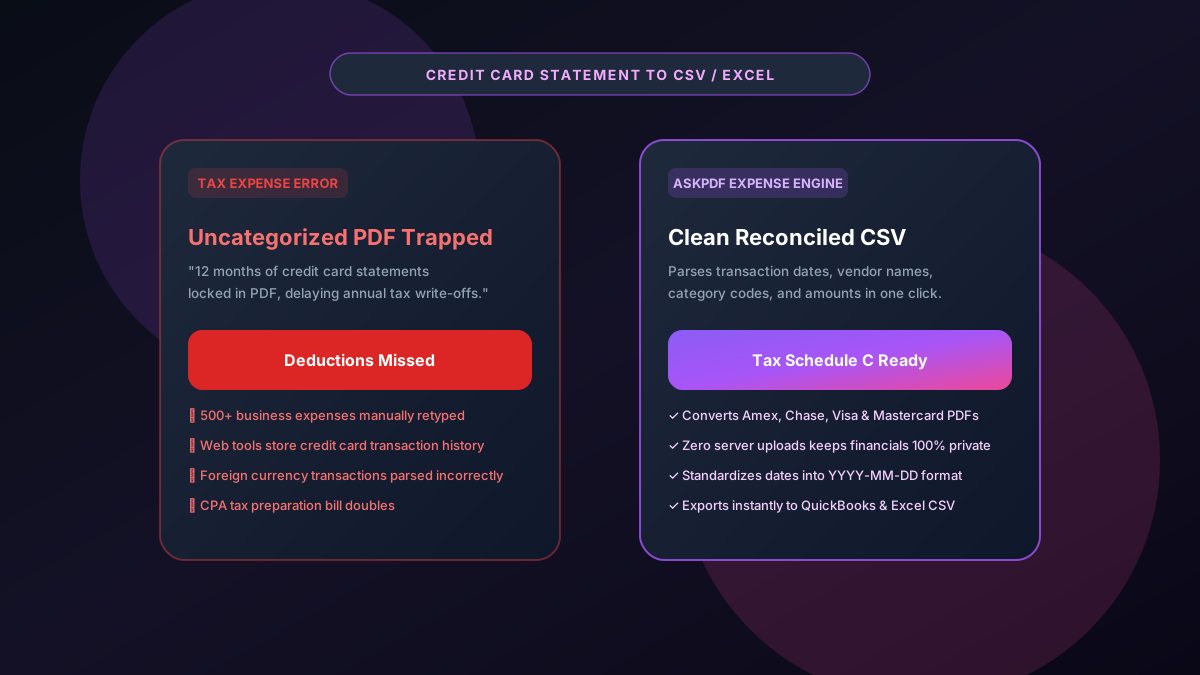
Quick Summary: Converting Credit Card Statements to CSV & Excel
Converting annual credit card PDF statements into spreadsheets is essential for small business bookkeeping, tax deductions (Schedule C), and expense reconciliation. Copy-pasting transactions results in disorganized text strings that accounting software rejects. AskPDF's Credit Card Statement Converter parses dates, merchant names, category codes, and expenditure amounts into standardized CSV and Excel columns, preparing entire tax years of expenses in seconds with 100% client-side privacy.
| Credit Card Parser Metric | Standard Online Converters | AskPDF Credit Card Suite |
|---|---|---|
| Date Standardization | Mixed date formats cause import errors | Standardizes dates into clean YYYY-MM-DD |
| Credit Card Privacy | Stores merchant history on cloud servers | 100% In-Browser (Zero Cloud Upload) |
| Rewards & Disclosure Filtering | Mixes rewards summaries into expenses | Isolates genuine purchases from noise |
| Multi-Card Batch Conversion | Paywalls after 2 statements ($20/mo) | Unlimited multi-statement conversion free |
| QuickBooks & Xero Import Ready | Requires extensive column restructuring | Pre-formatted Date, Payee & Amount headers |
Core Takeaway: Tax preparation requires clean, standardized expense records. AskPDF turns credit card PDF statements into reconciled CSV files ready for accounting software import in seconds.
Convert Your Credit Card Statements to CSV
Extract transactions from Amex, Chase, Visa & Mastercard statements into clean spreadsheets.
Why Credit Card Statements Create Bookkeeping Headaches
Credit card issuers (American Express, Chase, Capital One, Citibank) frequently update their statement layouts, embedding promotional banners, rewards balance boxes, and APR legal disclosures directly alongside transactions.
When business owners attempt to export or convert these PDFs, standard web tools capture promotional text as transaction line items, corrupting expense sums.
Manually cleaning up hundreds of scrambled transactions at tax time costs small business owners days of unnecessary frustration.
The Best Tested Free Alternatives (Ranked & Reviewed)
AskPDF Credit Card Tool
Bookkeeper Preferred (Free)Specialized in-browser financial parser calibrated to isolate transactional ledgers from non-purchase disclosures.
Commercial Accounting Scrapers
Monthly Subscription ($25-$50/mo)Paid cloud services for receipt and statement ingestion.
Manual Spreadsheet Typing
Tedious & Time-ConsumingHand-typing transaction rows from paper or PDF statements.
How to Convert Credit Card Statements into CSV
Select Credit Card PDF
Drag and drop your credit card statement PDF (Amex, Chase, Capital One, etc.) into AskPDF.
Filter Purchases & Fees
AskPDF automatically extracts genuine transaction lines, stripping rewards points summaries and promotional text.
Export Standardized CSV
Download your CSV or XLSX file and import directly into QuickBooks, Xero, or your tax spreadsheet.
Regular Expression Pattern Matching for Merchant Strings
Credit card transactions present diverse payee strings containing terminal codes, state abbreviations, and foreign currency exchange details.
AskPDF combines geometric table boundary detection with regular expression heuristic matching to isolate transaction dates, merchant descriptions, and net debits, producing a pristine single-line transaction record every time.
Frequently Asked Questions
Q:Why is CSV preferred over PDF for credit card expense tracking and taxes?
CSV files allow small business owners and bookkeepers to sort transactions by category, filter tax-deductible expenses, and bulk-import monthly charges directly into bookkeeping software without manual entry.
Q:How does AskPDF handle credit card rewards points and foreign exchange fees?
AskPDF distinguishes core purchase ledger tables from rewards summaries and interest charge disclosures, extracting only valid transactions with standardized date and currency columns.
Q:Is my credit card statement data secure when using AskPDF?
Completely secure. All processing takes place locally inside your browser memory using WebAssembly. Your card transactions, merchant details, and credit lines never touch external cloud servers.
Q:Can AskPDF convert multi-month or annual credit card statements at once?
Yes. You can process extensive multi-page PDF statements covering an entire tax year and export all transactions into a single unified spreadsheet in seconds.
Q:Does AskPDF work with statements from American Express, Chase, and Capital One?
Yes. AskPDF is calibrated to parse transaction layouts from American Express, Chase Sapphire/Freedom, Capital One, Discover, and all major bank cards.
Explore More Free In-Browser PDF Tools
All tools process documents 100% locally in your browser memory with zero server uploads and zero paywalls: