Quick Summary: Extracting Line Items from Receipts & Invoices to Excel
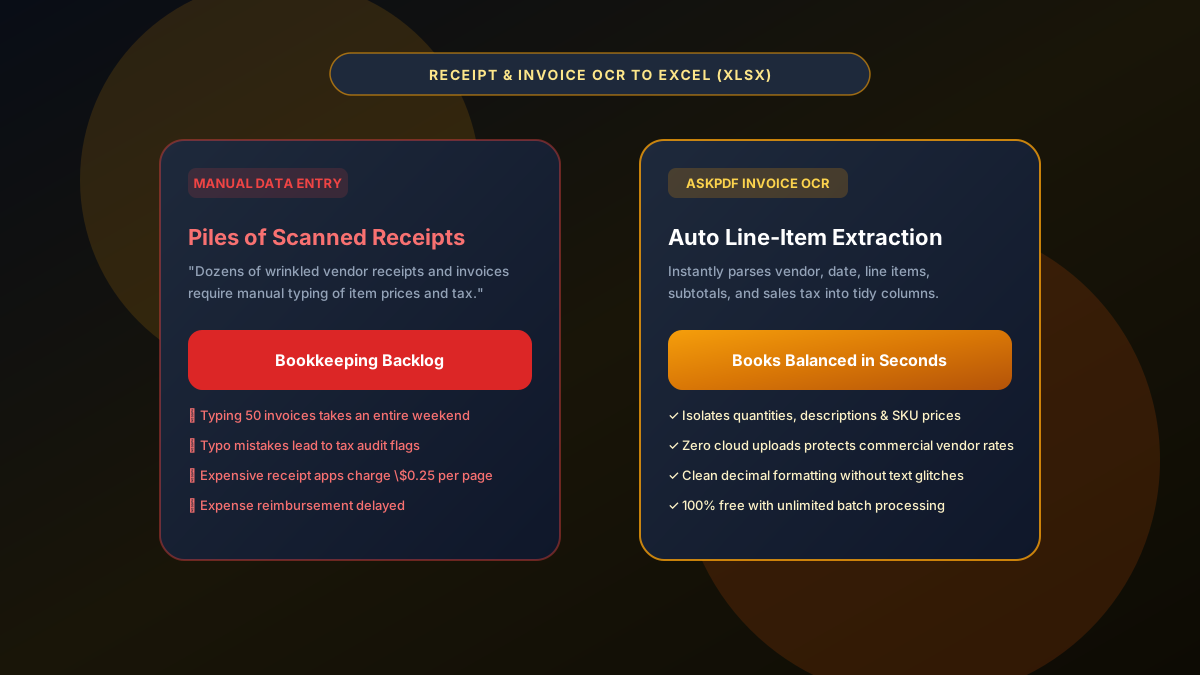
Manually retyping scanned receipts and vendor invoices into Excel is tedious and prone to costly accounting errors. Generic web converters lack receipt-specific OCR, misinterpreting quantities, subtotals, and tax lines. AskPDF's Receipt & Invoice Extractor uses in-browser OCR and document parsing to extract vendor names, transaction dates, itemized quantities, descriptions, and totals into organized Excel worksheets in seconds—with zero data leakage and zero subscription costs.
| Receipt Extraction Metric | Generic Free Web Converters | AskPDF Receipt & Invoice OCR |
|---|---|---|
| Line-Item Detail Extraction | Captures only grand total or scrambles lines | Separates quantity, item, rate & total cleanly |
| Wrinkled & Shadowed Scans | Fails on paper creases or phone shadows | Adaptive binarization enhances character contrast |
| Commercial Pricing Privacy | Exposes vendor pricing to cloud servers | 100% In-Browser (Zero Cloud Upload) |
| Sales Tax & Tip Separation | Combines tax with subtotal amounts | Discreet subtotal, tax, and total columns |
| Per-Receipt Costs | Charges $0.15-$0.30 per scanned receipt | 100% Free with unlimited batch conversion |
Core Takeaway: Expense tracking shouldn't require manual typing. AskPDF's in-browser OCR extracts receipt and invoice line items into calculation-ready Excel sheets in seconds.
Extract Receipts & Invoices to Excel
Turn piles of scanned paper receipts and invoices into structured spreadsheets automatically.
Why Scanned Receipts Are So Difficult to Digitize
Thermal receipt paper frequently suffers from fading, creases, uneven smartphone lighting, and low-contrast merchant logos. Traditional OCR engines struggle to differentiate faint dot-matrix printing from paper wrinkles.
Furthermore, vendor invoices vary wildly in design: some place totals in the top right, others in a bottom summary box, and itemized descriptions often span multiple columns.
Most specialized receipt scanning apps capitalize on this friction by locking automated export behind expensive recurring monthly subscriptions.
The Best Tested Free Alternatives (Ranked & Reviewed)
AskPDF Receipt Suite
100% Free & PrivateIn-browser OCR engine designed to extract structured line items from paper receipts and commercial invoices.
Paid Receipt Scanner Apps
Monthly Subscription ($15-$35/mo)Mobile applications like Expensify or Receipt Bank offering smartphone capture.
Manual Spreadsheet Data Entry
Time-Consuming & Error-ProneTyping receipt amounts line-by-line into Excel.
How to Extract Scanned Receipts into Excel
Upload Scanned Receipts or Invoices
Select one or multiple scanned receipts or invoice PDFs and drop them into AskPDF.
Automated OCR Line-Item Parsing
AskPDF enhances contrast, removes background shadows, and extracts vendor names, dates, items, and tax amounts.
Download Clean Excel Worksheet
Download your organized spreadsheet and immediately calculate expense totals or submit for reimbursement.
Adaptive Document Binarization for Thermal Paper Scans
Thermal receipts captured with smartphone cameras exhibit non-uniform illumination and vignetting that degrade OCR accuracy.
AskPDF employs Sauvola local adaptive thresholding in WebAssembly, computing dynamic contrast thresholds across localized pixel neighborhoods to isolate faint dot-matrix text from thermal paper backgrounds with zero character clipping.
Frequently Asked Questions
Q:Can AskPDF extract line items from crumpled or low-quality scanned receipts?
Yes. AskPDF's in-browser OCR engine applies adaptive contrast thresholding to clean background shadows and wrinkles before isolating vendor names, quantities, item descriptions, and price amounts.
Q:How does AskPDF separate subtotal, sales tax, and tip on restaurant receipts?
The extraction model recognizes standard invoice and receipt syntax, accurately categorizing subtotal amounts, sales tax lines, and tip entries into dedicated columns for straightforward expense reimbursement.
Q:Why is in-browser receipt processing safer for businesses?
Uploading vendor invoices to third-party cloud tools exposes confidential negotiated wholesale pricing and vendor terms. AskPDF processes all data locally on your device with zero data leakage.
Q:Can I export receipt data directly into an Excel template?
Yes. Converted receipts can be downloaded as an XLSX workbook or CSV file ready for instant pasting into corporate expense report templates or accounting ledgers.
Q:Does AskPDF charge per receipt or invoice processed?
No. Unlike legacy receipt scanning apps that charge monthly subscriptions or $0.20 per scan, AskPDF is 100% free with unlimited batch processing.
Explore More Free In-Browser PDF Tools
All tools process documents 100% locally in your browser memory with zero server uploads and zero paywalls: