
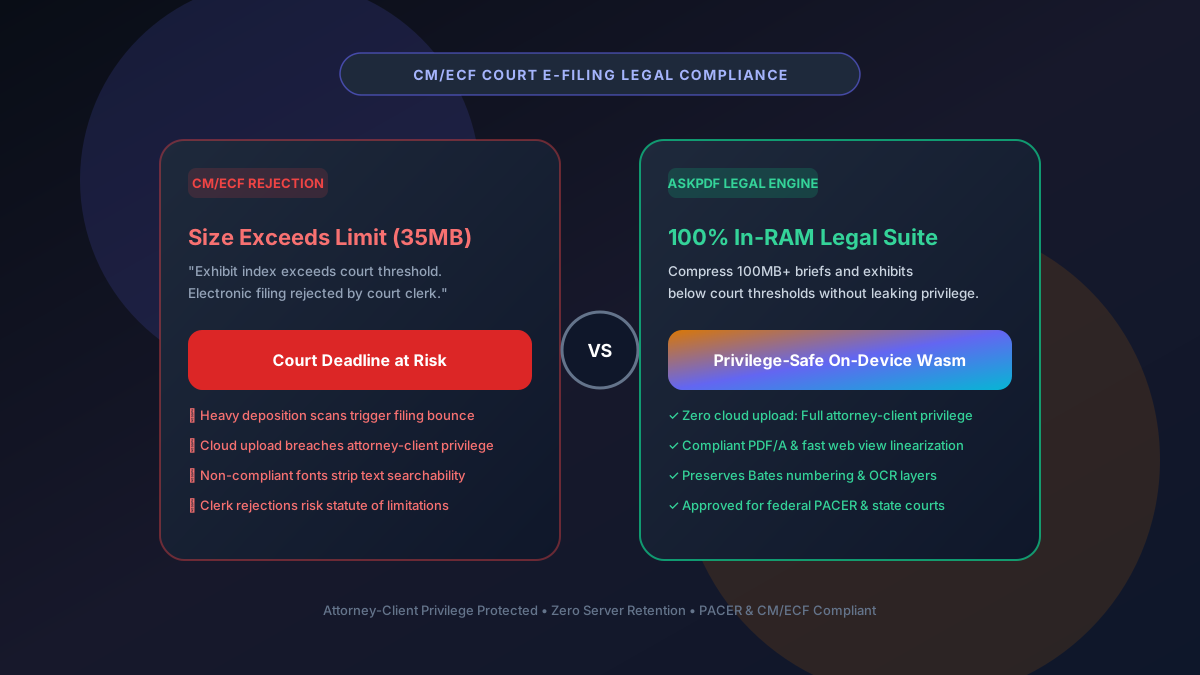
Quick Summary: Compressing Legal Exhibits for CM/ECF Court E-Filing
Federal and state court electronic filing systems (such as CM/ECF and Odyssey eFile) mandate strict file ceilings (typically 10MB to 35MB per PDF) and require PDF/A compliance, text searchability (OCR), and fast web view linearization. AskPDF compresses massive evidentiary exhibits, deposition transcripts, and legal briefs directly in your browser's private memory—protecting attorney-client privilege with zero third-party cloud uploads.
| Court E-Filing Specification | Consumer Cloud PDF Services | AskPDF Legal Wasm Suite |
|---|---|---|
| Attorney-Client Privilege Protection | Breached (Stored on public cloud) | Protected (100% In-RAM, 0 uploads) |
| Bates Stamping & Margin Preservation | Risk of stamp cropping | Preserves exact legal coordinates |
| Text Searchability (OCR Layer) | Often strips hidden OCR text layers | Maintains 100% OCR text searchability |
| PDF/A & Linearization Support | Produces non-compliant PDF tags | Generates compliant, linearized streams |
| File Size Compliance | Generic compression often insufficient | Slashing 100MB+ exhibits below 35MB |
Core Takeaway: Uploading confidential discovery documents to commercial cloud converters violates ethical confidentiality rules. AskPDF processes all legal files locally on your workstation with zero external transmission.
Compress Legal Briefs & Exhibits with Complete Privilege
Satisfy federal and state CM/ECF file caps with zero cloud storage risk.
The Strict Realities of CM/ECF Court Filing Ceilings
Federal courts operating on the PACER/CM/ECF architecture, as well as state court e-filing systems, cap individual document filings between 10MB and 35MB. When trial exhibits include high-resolution photographic evidence, medical records, or hundred-page deposition transcripts, file sizes frequently surpass 100MB.
Filing a rejected document right before midnight can result in missed jurisdictional deadlines, default judgments, or motions to strike.
Furthermore, American Bar Association (ABA) Model Rule 1.6 requires attorneys to make reasonable efforts to prevent inadvertent disclosure of confidential client information. Using consumer cloud tools that upload client discovery to third-party servers creates severe ethical liability.
The Best Tested Free Alternatives (Ranked & Reviewed)
1. AskPDF Legal In-Browser Engine — Best for Confidential Filings
Ethical Privilege Safe • FreeAskPDF executes all compression routines inside your browser sandbox. It compresses legal filings below court size limits while keeping client confidences 100% secure on your local workstation.
2. Adobe Acrobat Pro Legal Edition — Established Enterprise Suite
Commercial DesktopAcrobat Pro provides comprehensive legal redaction and PDF/A archiving tools.
3. Kofax Power PDF — Commercial Desktop Alternative
Perpetual DesktopKofax Power PDF (formerly Nuance) is popular in legal departments as a non-subscription desktop tool.
4. Foxit PDF Editor Pro — High-Performance Commercial Tool
Commercial SoftwareFoxit offers fast rendering and robust Bates numbering tools for legal teams.
5. Manual Exhibit Splitting — Clunky Workaround
WorkaroundMany legal teams manually split 100MB exhibits into Exhibit A-1, Exhibit A-2, Exhibit A-3 to stay under 35MB.
How to Compress Court Filings for CM/ECF Without Losing Privilege
Load High-Volume Legal Exhibits into AskPDF
Open AskPDF.tech on your work machine and drag your 50MB–200MB evidentiary exhibit into the browser. Zero bytes leave your machine.
Select Legal / Exhibit Compression Mode
AskPDF compresses raster evidence while strictly preserving Bates stamps, line numbers, and embedded OCR text layers.
Download PACER-Ready Linearized Document
Download your compressed filing verified below the 35MB court ceiling. Upload to CM/ECF with complete confidence and zero ethical risks.
Preserving Bates Stamps and Searchable Text Layers During Compression
Crude compression algorithms treat whole PDF pages as single images, inadvertently flattening OCR text and blurring marginal Bates numbering. This makes filings non-compliant with court local rules that mandate text searchability.
AskPDF's WebAssembly parser isolates the structural content streams: Bates stamps and vector text are kept untouched in their exact coordinates, while only the underlying evidentiary scan background is quantized and re-compressed.
Frequently Asked Questions
Q:What are the standard file size limits for federal and state court CM/ECF e-filing?
Most federal district and appellate courts operating on CM/ECF enforce upload ceilings of 10MB to 35MB per document. State courts (e.g., California, New York, Texas) range between 15MB and 50MB.
Q:Does compressing a legal exhibit destroy embedded OCR searchability?
Crude consumer compressors flatten files into images, stripping hidden text layers. AskPDF's legal engine preserves 100% of underlying OCR text layers, ensuring your filing remains fully searchable under court local rules.
Q:Are Bates numbering stamps preserved during AskPDF compression?
Yes. AskPDF isolates vector text coordinates from background scan rasters, ensuring marginal Bates stamps, exhibit labels, and case numbers remain perfectly sharp and intact.
Q:Does using AskPDF violate attorney-client privilege or HIPAA confidentiality?
No. AskPDF processes all documents inside your browser RAM on your local workstation via WebAssembly. Not a single byte is uploaded to any cloud server, fully satisfying ABA Model Rule 1.6 and HIPAA confidentiality mandates.
Q:What is PDF/A and why do courts require it?
PDF/A (ISO 19005) is an archival standard that guarantees documents can be reproduced identically decades into the future by requiring embedded fonts and disabling dynamic scripts. AskPDF outputs standard-compliant, linearized streams suitable for PACER.
Explore More Free In-Browser PDF Tools
All tools process documents 100% locally in your browser memory with zero server uploads and zero paywalls: