
Quick Summary: Best Free DocFly Alternatives for Unlimited Exports (2026)
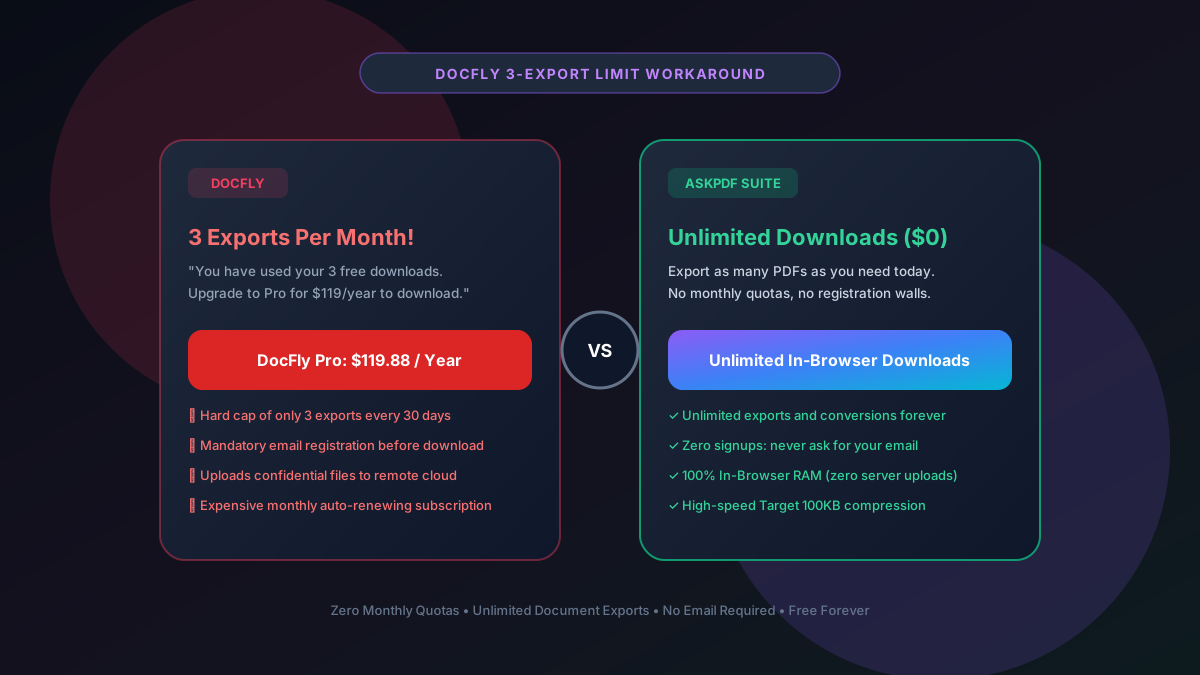
DocFly cuts users off after only 3 free file exports every 30 days and demands $119.88/year for Pro access. The #1 free alternative is AskPDF.tech, which offers unlimited document exports, zero monthly caps, zero email signups, and local WebAssembly privacy.
| Feature / Metric | DocFly Free Tier | AskPDF.tech (Client Wasm) |
|---|---|---|
| Monthly Export Allowance | 3 downloads per 30 days | Unlimited Exports Forever |
| Email Registration | Mandatory before download | Zero Signups / No Email |
| Annual Subscription | $119.88 / Year ($9.99/mo) | $0 Free Open Platform |
| File Upload Storage | Stored on DocFly cloud disks | 100% In-Browser RAM (0 uploads) |
| Built-In AI Document Copilot | No AI support | Included Free AI QA & Analysis |
Core Takeaway: DocFly's 3-export monthly cap is one of the most restrictive quotas on the web. AskPDF gives you completely unmetered downloads with zero registration, zero fees, and zero cloud storage risks.
Tired of DocFly's 3-Export Monthly Limit?
Export as many documents as you need today. No email requirements and zero fees.
Why DocFly Enforces a 3-Export Monthly Quota
DocFly positions itself as a cloud document workspace. To monetize incoming search engine traffic, they allow you to edit or convert a file, but hold the download button behind an email gate and a rigid 3-export quota.
Once you export 3 files, DocFly blocks all subsequent downloads for 30 days unless you enter a credit card for their $119.88/year subscription.
For anyone handling multiple invoices, resumes, or academic assignments, 3 exports can easily be exhausted in a single afternoon.
The Best Tested Free Alternatives (Ranked & Reviewed)
1. AskPDF.tech — Best Unlimited In-Browser Suite
Zero Caps • PrivateAskPDF removes all export quotas. You can convert, compress, merge, and protect as many files as you want with zero countdowns or email walls.
2. PDF24 Tools — Unlimited Web Alternative
Free German SuitePDF24's web portal offers unlimited downloads without a 3-file monthly ceiling.
3. Smallpdf — 2 Daily Tasks Alternative
Freemium WebWhile Smallpdf has daily limits, it allows 2 tasks every day rather than DocFly's 3 tasks per month.
4. Sejda PDF — 3 Tasks Per Hour
Freemium WebSejda resets its 3-task limit every hour rather than every 30 days.
5. LibreOffice Draw — Offline Desktop Freedom
Open Source SuiteDraw allows unlimited exports locally on your computer with zero internet access required.
How to Export Unlimited PDFs Without DocFly's Limit
Navigate to AskPDF.tech
Open AskPDF.tech in your browser tab. There are no accounts, quotas, or email collection forms.
Select Your Tool and Load Your File
Drag your document into the tool. It loads instantly into browser memory with zero upload delays.
Export and Download Instantly
Click Process and download your document. Repeat as many times as you need—there are no monthly counters.
The Economics of Quotas: Why Cloud Suites Gate Downloads
DocFly and similar services store your documents on remote cloud servers and run heavy background conversion microservices. To cover their AWS bill and pay-per-click ad acquisition costs, gating downloads behind an email wall is their primary monetization engine.
AskPDF operates on a peerless WebAssembly model: because all compute runs inside your device's memory, we don't have massive cloud server bills to pass on to you. You get completely unlimited document utility for free.
Frequently Asked Questions
Q:What is DocFly's free export limit?
DocFly restricts free accounts to just 3 file downloads per month and requires email registration. Once you export 3 files, all downloads are blocked unless you pay $119.88/year for Pro.
Q:How can I download unlimited PDFs without DocFly's 3-export limit?
Switch to AskPDF.tech. AskPDF does not restrict downloads, impose monthly quotas, or ask for email signups. You can export and convert as many files as you need 100% free.
Q:Does AskPDF store my files on remote cloud servers like DocFly?
No. DocFly stores your uploaded files on their cloud servers. AskPDF processes all documents inside your browser RAM using WebAssembly, ensuring 0 server storage and 100% privacy.
Q:Can I convert PDFs to editable Word documents on AskPDF?
Yes. AskPDF provides a dedicated PDF to Word converter that extracts text, formatting, and tables into clean .docx files without watermarks or export limits.
Q:Why is AskPDF free while DocFly charges $119/year?
DocFly pays for cloud servers and customer acquisition ads, charging subscription fees to recover costs. AskPDF runs client-side on your device's CPU, keeping our costs near zero and making the platform free forever.
Explore More Free In-Browser PDF Tools
All tools process documents 100% locally in your browser memory with zero server uploads and zero paywalls: