
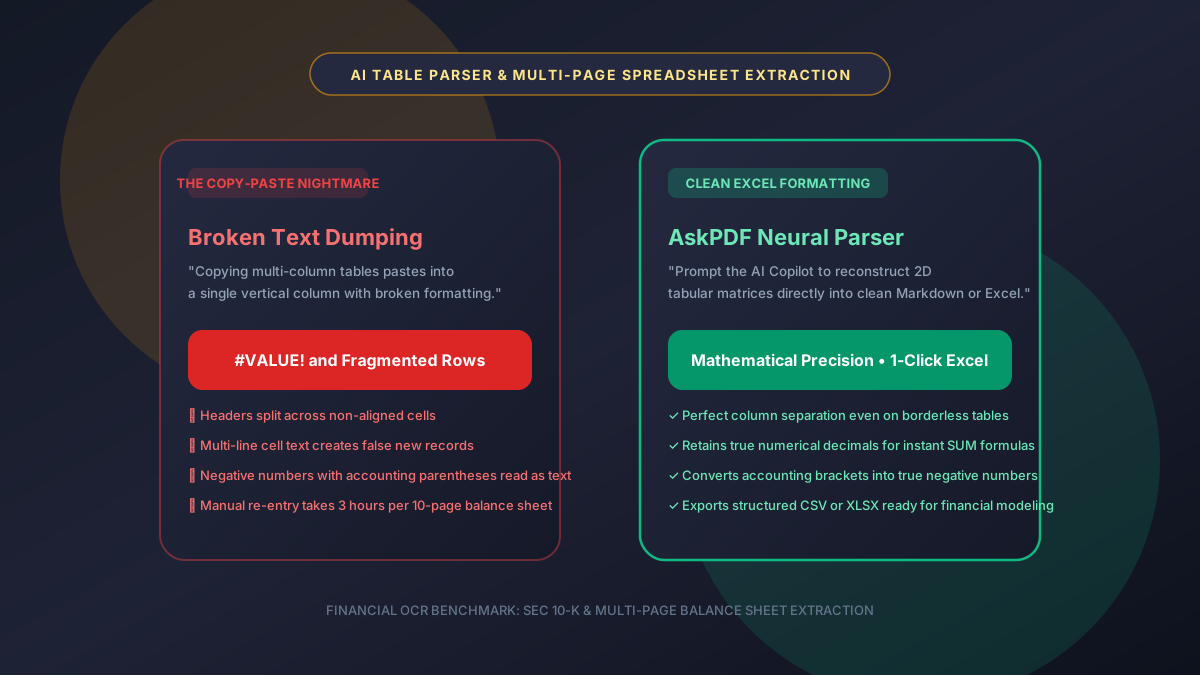
Quick Summary: How to Extract Tables from PDF Using AI Prompts
Copy-pasting tables from PDFs into Excel frequently results in collapsed columns, split headers, and broken formulas. AskPDF.tech provides an AI-powered document copilot that understands 2D table structures across complex, borderless, multi-page financial statements—extracting clean, formula-ready tables directly into Excel XLSX or CSV format in seconds with zero manual re-typing.
| Extraction Metric | Manual Copy & Paste | AskPDF AI Table Extraction |
|---|---|---|
| Column Alignment Integrity | Collapses into single vertical text column | Maintains exact 2D column boundaries |
| Handling Borderless Tables | Fails completely; text jumbles | Neural coordinate detection preserves cells |
| Decimal & Negative Number Parsing | Accounting parens `(100)` read as text | Converts to true mathematical `-100.00` |
| Multi-Page Table Stitching | Headers repeat and break table flow | Seamlessly merges across page breaks |
| Time per 10-Page Balance Sheet | 45 – 90 minutes of manual clean-up | Under 15 seconds automated extraction |
| Cost | Expensive OCR tools ($150+/yr) | $0 Free in-browser copilot |
Core Takeaway: Instead of wasting hours reformatting collapsed cells and fixing broken copy-paste text, AskPDF's AI Table Copilot recognizes multi-page financial grid structures and outputs pristine, formula-ready spreadsheets in seconds.
Extract Tables from PDF to Excel Instantly
Convert balance sheets, invoices, and audit statements into formula-ready Excel tables.
Why Traditional Copy-Paste Fails on PDF Tables and Destroys Spreadsheets
The Portable Document Format (PDF) does not have a native concept of a 'table cell' or 'spreadsheet row'. A PDF is fundamentally a visual canvas that positions characters at absolute 2D Cartesian coordinates (X and Y coordinates).
When you highlight a table and press Ctrl+C, the operating system clipboard reads characters in reading-order stream sequence rather than spatial grid columns. As a result, numbers from column 1, column 2, and column 3 are dumped into a single vertical column, completely scrambling your financial data.
AskPDF solves this spatial dilemma by utilizing an intelligent AI document copilot that visually inspects character coordinates, recognizes column gutters, and mathematically maps values into native tabular formats ready for Excel or Google Sheets.
The Best Tested Free Alternatives (Ranked & Reviewed)
1. AskPDF.tech — Best AI-Powered PDF Table to Excel Converter
Top Pick • 100% Free • Excel ReadyAskPDF uses layout-aware AI prompts and coordinate mapping to extract multi-page financial statements, balance sheets, and invoices directly into formatted Excel spreadsheets.
2. Manual Data Entry into Excel
Manual WorkflowTyping numbers line-by-line from PDF into an Excel spreadsheet.
3. Legacy Desktop OCR Software (ABBYY FineReader)
Desktop Software ($199)Traditional desktop optical character recognition software.
How to Extract Tables from PDF to Excel with AskPDF
Upload PDF with Tables
Drag and drop your financial statement, bank statement, or price sheet into AskPDF Chat.
Prompt the AI Table Extractor
Type: 'Extract the financial table on page 4 into a clean markdown table. Preserve all decimals, headers, and negative signs.'
Copy or Download to Excel
Click copy table or export directly to CSV/XLSX to paste seamlessly into Excel with intact formulas.
Spatial Gutter Detection & OpenXML Grid Matrix Reconstruction
AskPDF analyzes character bounding boxes to identify vertical whitespace corridors ('gutters') that delineate column divisions, even when physical table grid lines are absent.
The AI Copilot then builds a 2D matrix representing rows and columns, correctly attributing multi-line wrapped descriptions (such as long transaction line items) to their corresponding numeric values. The result is exported with proper MIME type headers for instant, error-free opening in Microsoft Excel, Apple Numbers, and Google Sheets.
Frequently Asked Questions
Q:Why does copy-pasting tables from PDF into Excel create scrambled text columns?
PDF files store text as individual glyph coordinates rather than relational table cells. Standard clipboard copy-paste reads characters in stream order, jumbling horizontal rows into single vertical text columns.
Q:How does AskPDF AI recognize borderless tables without grid lines?
AskPDF's neural layout engine analyzes spatial whitespace corridors (gutters) between numbers and words, accurately grouping related data points into distinct spreadsheet columns even when table lines are invisible.
Q:Can the AI convert accounting parentheses into true negative numbers?
Yes. Numbers formatted as `(12,450.00)` or `12,450.00-` are automatically normalized into `-12450.00`, allowing Excel formulas like `SUM()` to calculate totals immediately without manual formula repair.
Q:Can AskPDF stitch tables that span across multiple consecutive pages?
Yes. AskPDF detects repeated table headers across page breaks and seamlessly merges consecutive data rows into a single continuous table.
Q:Can I export extracted tables directly to CSV or XLSX?
Yes. Extracted tabular data can be copied as formatted markdown or downloaded directly as CSV/XLSX for immediate use in Microsoft Excel and Google Sheets.
Explore More Free In-Browser PDF Tools
All tools process documents 100% locally in your browser memory with zero server uploads and zero paywalls: