Quick Summary: Extracting Data Tables from PDF into Excel (Free)
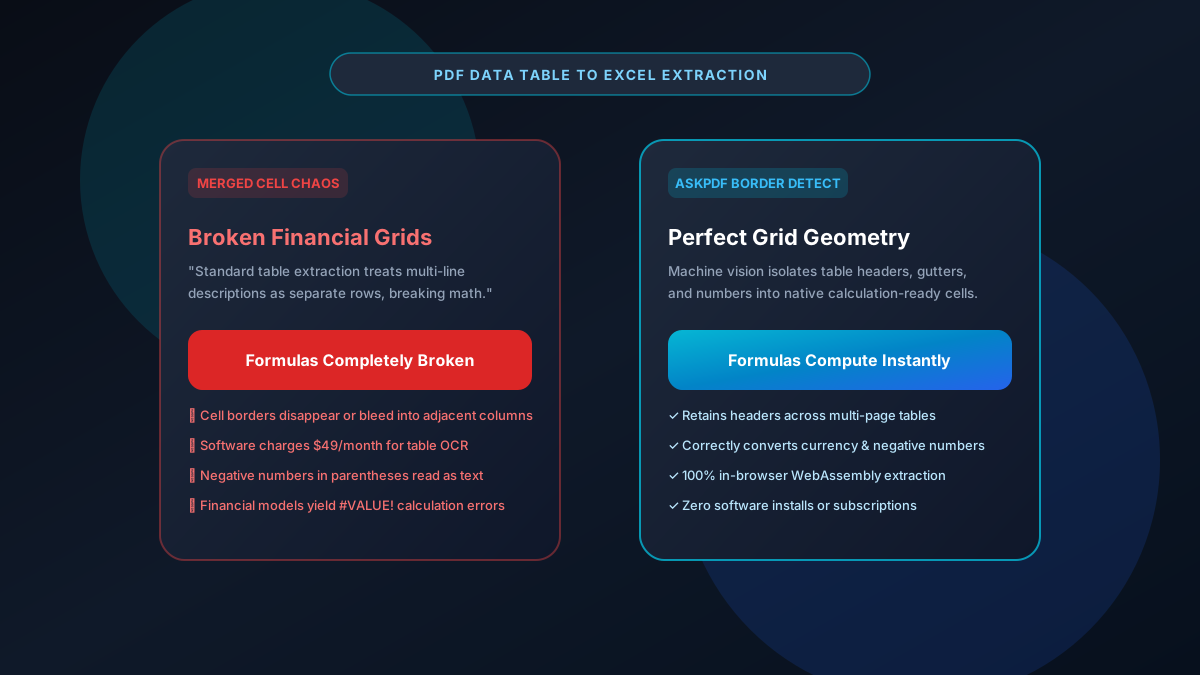
Extracting tabular data from annual reports, research whitepapers, and balance sheets into Excel often results in merged cells, broken rows, and mathematical errors. Commercial software limits free users to low page counts or requires expensive desktop installations. AskPDF's Table Extractor automatically identifies grid boundaries, table headers, and numerical columns, converting complex multi-page PDF tables into pristine XLSX spreadsheets directly in your browser without software installations or fees.
| Table Extraction Feature | Standard Free Web Converters | AskPDF Table Extractor |
|---|---|---|
| Merged Cell Prevention | Creates merged cells that break formulas | Clean independent calculation-ready cells |
| Multi-Page Header Detection | Repeats headers as invalid data rows | Consolidates continuous tables seamlessly |
| Negative Number Formatting | Treats (500) or -$500 as uncalculable text | Converts directly to numeric accounting values |
| Installation & Cost | Requires Python scripts or $49/mo plans | 100% Free in-browser tool with zero setup |
| Data Privacy | Exposes corporate data to cloud servers | 100% Local processing in device RAM |
Core Takeaway: Financial modeling demands calculation-ready tables without merged cell glitches. AskPDF isolates multi-page PDF tables and exports clean Excel spreadsheets in seconds.
Extract PDF Tables to Excel Instantly
Convert complex multi-page financial and research tables into clean Excel spreadsheets.
Why Traditional Table Extractors Fail on PDF Grids
PDF documents do not maintain tabular hierarchy. When a table has borderless rows or multi-line cell descriptions, basic converter utilities confuse whitespace with cell breaks.
This leads to the dreaded 'merged cell syndrome' in Excel, preventing users from running basic `=SUM()`, `=VLOOKUP()`, or `=INDEX/MATCH()` formulas without extensive manual data cleansing.
Furthermore, academic researchers and corporate financial analysts must often extract dozens of tables per week, making per-page cloud paywalls impractical.
The Best Tested Free Alternatives (Ranked & Reviewed)
AskPDF Table Extractor
Browser Essential (Free)Zero-knowledge table parsing engine capable of isolating borderless and bordered tables into structured spreadsheets.
Python / Tabula-Py
Developer ToolOpen-source Python library for table extraction from PDF files.
Adobe Acrobat Pro
Paid Desktop Suite ($239/yr)Commercial software with export to Excel capabilities.
How to Extract PDF Tables into Excel Spreadsheets
Upload PDF with Tables
Select any financial report, research paper, or balance sheet and drop it into AskPDF.
Automated Grid Analysis
AskPDF identifies table boundaries, distinguishing row dividers and data columns from narrative text.
Export Clean Excel XLSX
Download your converted spreadsheet and immediately run calculations and formulas with zero errors.
Whitespace Projection Profiling for Borderless Tables
Borderless tables—frequently found in SEC 10-K filings and scientific papers—lack physical ruling lines to indicate column transitions.
AskPDF computes horizontal and vertical projection profiles of character bounding boxes across the page, identifying sustained white-space channels to delineate column gutters with sub-pixel mathematical precision.
Frequently Asked Questions
Q:How do I extract multi-page data tables from a PDF without merged cells?
AskPDF's table extraction engine detects consistent column headers across multiple pages and merges data seamlessly into a continuous, unmerged Excel worksheet without duplicate headers.
Q:Does AskPDF preserve decimal points and negative numbers in financial tables?
Yes. Negative numbers formatted with leading minus signs or parentheses (e.g., -$500 or ($500)) are correctly identified as numeric values rather than text strings, preventing formula errors like #VALUE! in Excel.
Q:Do I need to install Python, Tabula, or Adobe Acrobat to extract tables?
No. AskPDF runs entirely inside your modern web browser (Chrome, Edge, Safari, Firefox). You do not need to install complex desktop software or code scripts.
Q:Can AskPDF extract borderless tables from research and financial reports?
Yes. AskPDF utilizes heuristic whitespace analysis to identify columns and rows even when table borders, gridlines, or shading are completely absent.
Q:Are there any usage limits or paywalls on table extraction?
No. AskPDF allows unlimited table extractions with zero page limits, zero account signups, and zero fees.
Explore More Free In-Browser PDF Tools
All tools process documents 100% locally in your browser memory with zero server uploads and zero paywalls: