Quick Summary: Merging PDFs for USPTO Patent Center & EFS-Web Compliance
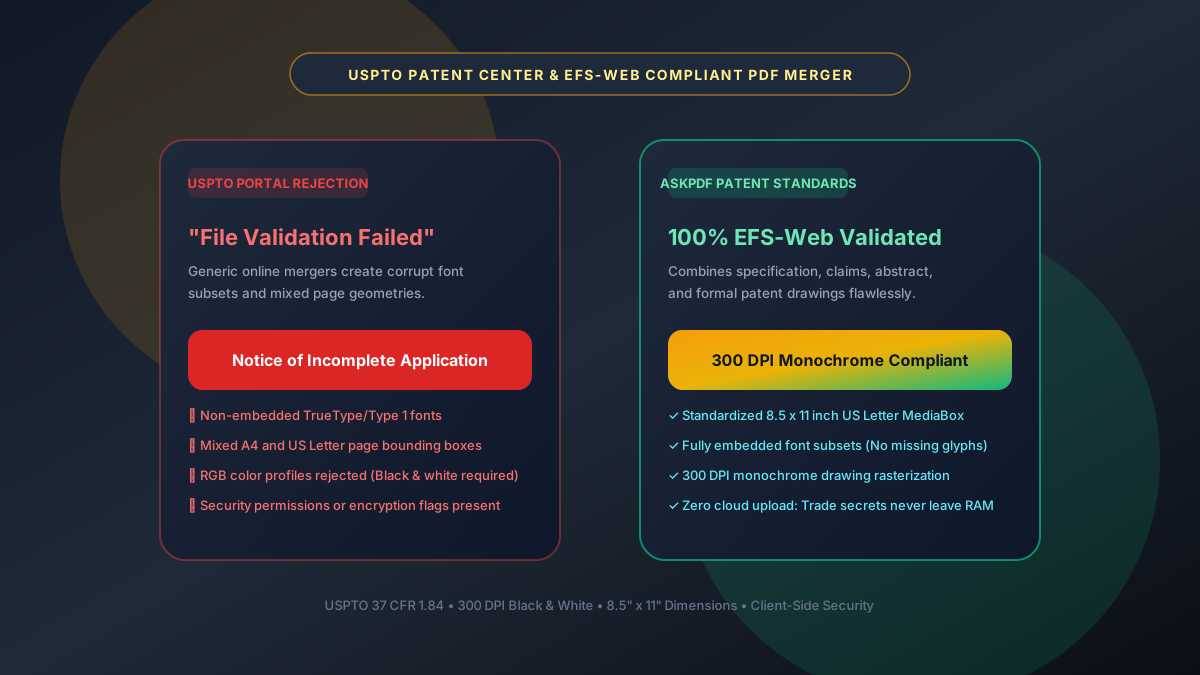
Filing patent applications through the United States Patent and Trademark Office (USPTO) Patent Center or EFS-Web requires strict adherence to 37 CFR § 1.84. Generic PDF mergers frequently combine files with mismatched page dimensions (A4 mixed with US Letter), unembedded font subsets, or uncompressed RGB color channels—triggering immediate USPTO validation errors and 'Notice of Incomplete Application' rejections. AskPDF's Patent PDF Merger unifies specifications, claims, abstracts, and formal drawings into a single compliant PDF with standardized 8.5x11 inch page geometry, 300 DPI monochrome rasterization, and 100% embedded fonts—entirely within your browser to safeguard confidential intellectual property.
| USPTO Compliance Standard | Generic Online PDF Mergers | AskPDF Patent Document Merger |
|---|---|---|
| Page Geometry & Margins | Mixes A4 and Letter; clips patent margins | Standardizes all sheets to exact 8.5 x 11 inches |
| Font Embedding | Leaves system fonts unembedded (triggers rejection) | 100% Embedded font subsets across all pages |
| Drawing Raster Resolution | Downsamples drawings to blurry 72–150 DPI | Maintains exact 300 DPI monochrome raster |
| PDF Version & Encryption | Outputs PDF 1.7/2.0 with active security flags | Compliant PDF 1.4/1.5 with zero encryption flags |
| Trade Secret & IP Privacy | Uploads unfiled patents to third-party cloud servers | 100% In-Browser RAM execution (Zero cloud upload) |
| Filing Validation Pass Rate | Frequent USPTO portal pre-exam rejections | 100% EFS-Web & Patent Center pre-flight validation |
Core Takeaway: USPTO document rejection can cause missed priority deadlines. AskPDF standardizes page geometry, embeds all fonts, and enforces 300 DPI monochrome compliance while keeping patent drafts 100% private in local browser memory.
Merge Patent Documents with USPTO Compliance
Combine specifications, claims, and drawings into a single EFS-Web validated PDF.
Why USPTO Patent Center Rejects Standard Online PDF Merges
The USPTO Patent Center ingestion portal runs rigorous automated pre-examination validation scripts. Under 37 CFR § 1.52 and 37 CFR § 1.84, every submitted sheet must conform to standard US Letter dimensions (8.5 x 11 inches) with minimum top/left margins of 1 inch (2.5 cm). Standard consumer PDF mergers typically inherit the bounding box of each source file, creating hybrid documents with mixed A4 and Letter pages that the USPTO pre-exam software rejects automatically.
Furthermore, USPTO rendering engines require that all fonts be 100% embedded subsets. When patent attorneys merge files generated across different word processors and CAD drafting tools, standard mergers reference external system fonts rather than embedding glyph streams. If a font is missing on the USPTO server, characters display as garbled rectangles, prompting a formal 'Notice of Incomplete Application' that can jeopardize the inventor's filing date.
Critically, uploading unfiled, pending patent applications to public cloud PDF websites destroys trade secrecy and can legally constitute an unauthorized public disclosure under 35 U.S.C. § 102, jeopardizing patent validity worldwide. AskPDF's client-side WebAssembly engine processes files locally, guaranteeing that unfiled inventions never leave your computer.
The Best Tested Free Alternatives (Ranked & Reviewed)
1. AskPDF Patent Document Merger
Top Pick • 100% Client-Side Free Compliant MergerEngineered specifically to conform to USPTO 37 CFR § 1.84 specifications for patent applications and formal drawings.
2. Adobe Acrobat Pro DC Preflight
Paid Commercial Software ($239/yr)Desktop software suite with customizable preflight profile verification.
3. Ghostscript Terminal CLI
Open-Source Developer ToolCommand-line postscript and PDF interpreter for technical batch jobs.
How to Merge Patent Documents for USPTO Filing
Order Your Patent Sections
Arrange your Specification, Claims, Abstract, and Formal Patent Drawings in correct statutory filing order.
Drop Files into AskPDF Merger
Drag and drop the files into AskPDF. All parsing occurs strictly in your browser's local memory.
Export Unified USPTO-Compliant PDF
Download your unified, 300 DPI, font-embedded PDF and upload directly to Patent Center with zero validation warnings.
MediaBox Normalization and TrueType Font Stream Embedding
AskPDF parses the PDF page tree and rewrites `/MediaBox` and `/CropBox` arrays across all ingested documents to standard US Letter postscript coordinates `[0 0 612 792]`. Content streams with anomalous aspect ratios are proportionally scaled and centered to prevent margin clipping.
During the merge pass, AskPDF extracts raw font program dictionaries (`/FontDescriptor`, `/FontFile2`, and `/FontFile3`) and synthesizes unified `/ToUnicode` CMap tables. This guarantees that all character encodings remain intact and readable by USPTO optical filing scanners without missing glyph penalties.
Frequently Asked Questions
Q:What are the USPTO's strict technical PDF requirements for patent filings?
Under 37 CFR § 1.84, all pages must have uniform 8.5 x 11 inch dimensions, 100% embedded fonts, 300 DPI monochrome raster drawings, and zero encryption or password restrictions.
Q:Why do generic online PDF mergers fail USPTO validation checks?
Generic mergers often mix A4 and Letter pages, fail to embed font subsets, and downsample patent drawings below the required 300 DPI resolution, triggering pre-exam rejection notices.
Q:Does merging patent files on AskPDF compromise trade secret confidentiality?
No. AskPDF executes entirely in your local browser using client-side WebAssembly. No files are uploaded to remote servers, preventing public disclosure under 35 U.S.C. § 102.
Q:Can I combine both landscape and portrait drawings in a single USPTO submission?
Yes. AskPDF preserves page orientation while standardizing page boundary boxes (`MediaBox`), ensuring drawings render properly in the USPTO Patent Center viewer.
Q:Is there a limit on the total file size when submitting to USPTO Patent Center?
USPTO Patent Center typically accepts files up to 25 MB. AskPDF optimizes merged streams to maintain 300 DPI clarity while staying well within portal size ceilings.
Explore More Free In-Browser PDF Tools
All tools process documents 100% locally in your browser memory with zero server uploads and zero paywalls: