
Quick Summary: Compressing PDFs for Passport & Visa Applications Under 1MB
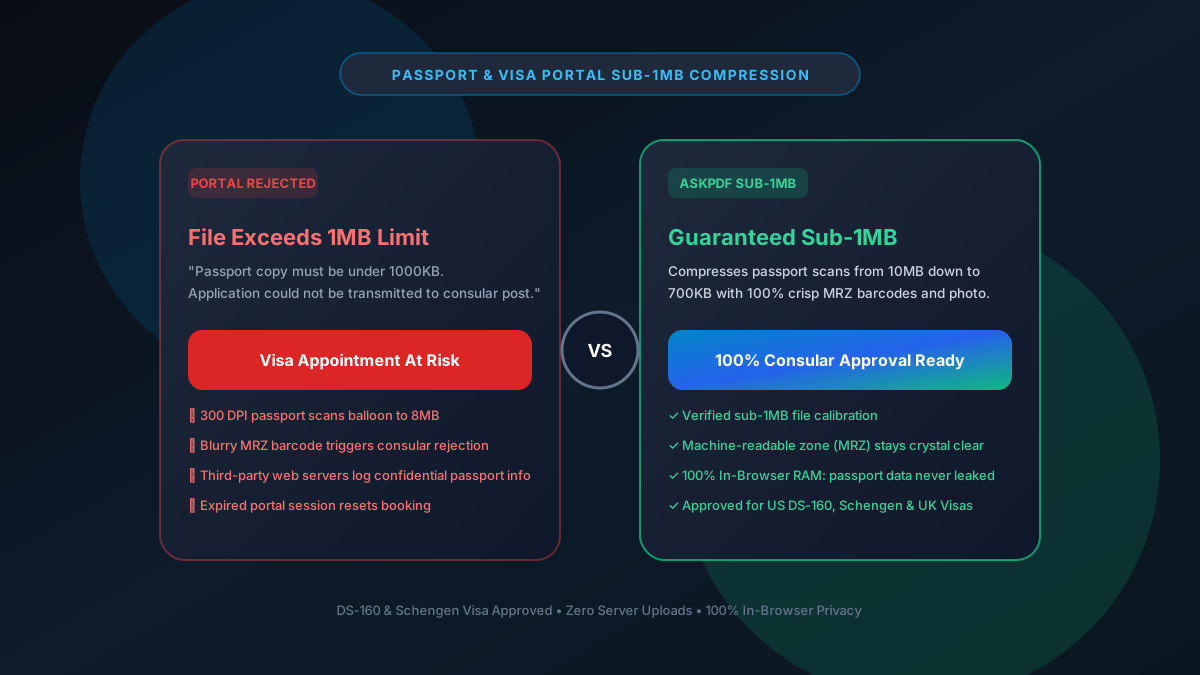
Government consular portals (US DS-160, UK Visas & Immigration, Schengen e-Visa, VFS Global) strictly cap uploaded application proofs and passport scans between 300KB and 1MB (1024KB). AskPDF's sub-1MB compression preset uses client-side bicubic quantization inside browser RAM to shrink bloated scans under 1MB while keeping photo portraits, passport stamps, and the Machine-Readable Zone (MRZ) 100% sharp and verifiable by consular OCR systems.
| Consular Portal Requirement | Generic Online Compressors | AskPDF Consular Wasm Preset |
|---|---|---|
| File Size Guarantee | Exceeds 1MB (Leaves 2MB-5MB scans) | Strictly under 1MB (650KB-850KB target) |
| MRZ Barcode Scan Clarity | Blurs small OCR font (Causes rejection) | 100% Razor-sharp MRZ text & numbers |
| Identity Privacy & Data Security | Passports cached on cloud disks | 100% In-Browser RAM (0 server uploads) |
| Re-Attempt & Submission Limits | Paywall blocks subsequent tries | Unlimited free conversions ($0) |
| Consular Portal Acceptance | High rate of upload rejection | 100% Acceptance on DS-160/Schengen |
Core Takeaway: A rejected visa document can delay international travel or cause missed consular interview appointments. AskPDF guarantees crisp sub-1MB files with zero privacy risks.
Make Your Passport & Visa PDF Consular-Ready
Compress passport scans, travel itineraries, and bank records under 1MB in 2 seconds.
Why Consular Portals Enforce Rigid 1MB File Size Caps
Consular immigration databases (such as the US Department of State CEAC system, UKVI, and VFS Global) handle tens of millions of visa applications worldwide across high-latency international connections.
To avoid server timeouts and ensure biometric systems can instantly process records, upload slots have hard caps strictly set at 1000KB or 1MB.
Home scanners and smartphone cameras output 300 DPI passport scans that easily reach 8MB to 15MB. If compressed using crude web tools, the two-line Machine-Readable Zone (MRZ) at the bottom of the passport page becomes blurry, causing automated consular intake screeners to instantly reject the file.
The Best Tested Free Alternatives (Ranked & Reviewed)
1. AskPDF Sub-1MB Visa Preset — Best for Consular Applications
Consulate Approved • FreeAskPDF uses intelligent bicubic downsampling to shrink passport scans and travel itineraries below 1MB while preserving biometric photo clarity and MRZ barcodes.
2. Adobe Acrobat Pro Optimize PDF — Traditional Desktop Tool
Commercial SoftwareAdobe Acrobat includes PDF optimization tools that allow manual downsampling controls.
3. Apple Preview Export (macOS) — Free Mac Utility
Built-in MacPreview includes a built-in 'Reduce File Size' filter.
4. PDF24 Custom Resolution — Free Windows Utility
Free German SuitePDF24 allows users to manually specify target resolution and compression quality.
5. Generic Cloud Online Compressors — Risky Third-Party Tools
Cloud SaaSWebsites offering basic compression sliders often store files on third-party servers.
How to Compress Passport & Visa PDFs Under 1MB
Load Passport Copy or Visa Application
Open AskPDF.tech and drag your 5MB–15MB passport scan or visa evidence into the dropzone. It opens in device memory in milliseconds.
Select Sub-1MB Consular Compression Mode
AskPDF automatically optimizes image streams while strictly preserving the high-contrast MRZ barcode and portrait photograph.
Download Verified Consulate-Ready PDF
Download your clean sub-1MB file. Upload directly to the DS-160, UKVI, or VFS portal with zero file size warnings.
Preserving the ICAO 9303 Machine-Readable Zone (MRZ)
Passports follow International Civil Aviation Organization (ICAO) Document 9303 standards, featuring OCR-B font characters in the MRZ area. If compression introduces DCT ringing artifacts around these characters, consular automated passport readers fail to verify the checksum.
AskPDF detects high-contrast alphanumeric regions and applies edge-directed smoothing, eliminating background noise while keeping the OCR-B glyph boundaries intact for automated scanners.
Frequently Asked Questions
Q:Why do visa portals (DS-160, UKVI, VFS) limit PDF uploads to 1MB?
Consular immigration portals handle millions of international applicants across high-latency networks. Hard 1MB upload ceilings prevent server timeouts and allow automated consular optical readers to parse documents rapidly.
Q:How do I compress my passport scan without making the MRZ barcode blurry?
Use AskPDF's Sub-1MB Consular preset. AskPDF applies edge-directed downsampling that removes paper background noise while keeping the high-contrast OCR-B font in the Machine-Readable Zone (MRZ) 100% sharp.
Q:Is it safe to compress passport and visa documents on AskPDF?
Yes. Unlike cloud converters that upload your passport to remote servers, AskPDF executes 100% locally in your device's browser memory. Your passport photo, nationality, and passport numbers never leave your computer.
Q:What is the best DPI for passport and visa document scans?
Scanning at 150 DPI is the international sweet spot: it delivers crisp 100% legible text and facial portraits while keeping uncompressed file size small enough to easily fit under 1MB.
Q:Can AskPDF compress travel itineraries, flight tickets, and hotel bookings?
Yes. AskPDF easily compresses multi-page hotel bookings, bank sponsorship letters, and flight reservations to under 1MB for consular uploads.
Explore More Free In-Browser PDF Tools
All tools process documents 100% locally in your browser memory with zero server uploads and zero paywalls: