
Quick Summary: How to Bypass PDF Candy's 1-Hour Wait Limit (2026)
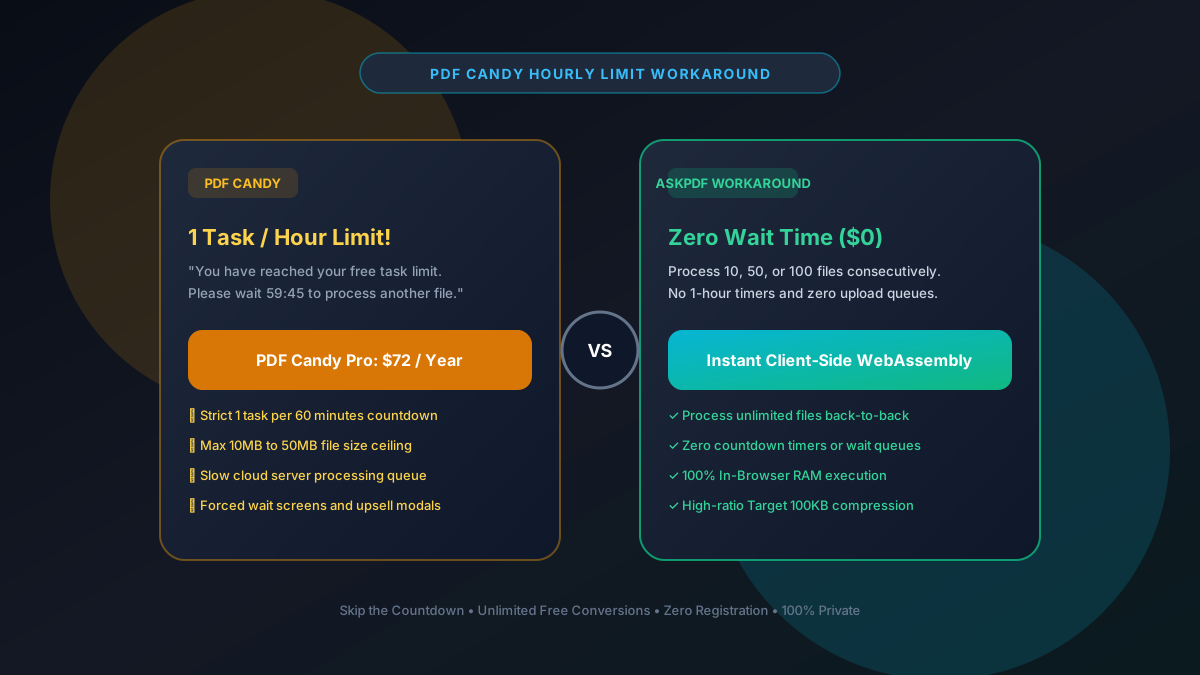
PDF Candy restricts free users to 1 task per hour with a 60-minute countdown timer and 10MB to 50MB file caps. The top instant workaround is AskPDF.tech, which runs in client-side WebAssembly to process unlimited files consecutively with zero wait times, zero countdowns, and no paywalls.
| Feature / Metric | PDF Candy Free Tier | AskPDF.tech (Client Wasm) |
|---|---|---|
| Task Frequency Limit | 1 task per 60 minutes | Unlimited (0 wait time) |
| File Size Limit | 10MB – 50MB ceiling | No hard limits (Tested 500MB+) |
| Document Processing | Queued on cloud servers | Instant in-browser RAM |
| Target 100KB Presets | No dedicated presets | Dedicated 100KB/200KB presets |
| Annual License Cost | $72 / Year ($6/mo) | $0 Free Forever |
Core Takeaway: Waiting 60 minutes between every PDF conversion completely derails productivity. AskPDF eliminates countdown timers entirely, letting you process dozens of files in seconds.
Skip the 60-Minute Countdown Timer
Convert as many files as you need right now. No timers, no queues, and no credit card.
Why PDF Candy Enforces a 1 Task Per Hour Limit
PDF Candy's 1-task-per-hour limit is one of the strictest freemium caps in the industry. It exists solely to induce frustration and trigger impulse purchases of their $72/year Pro plan.
When a user finishes one file and immediately attempts to process their second document, PDF Candy replaces the upload zone with an animated 60-minute countdown clock and a prominent 'Buy Pro Now' button.
Clearing cookies or using VPNs often fails because PDF Candy logs IP subnets and browser canvas fingerprints to prevent multiple free requests.
The Best Tested Free Alternatives (Ranked & Reviewed)
1. AskPDF.tech — Best Instant Workaround with Zero Wait
Instant • UnlimitedAskPDF allows you to convert, compress, and edit unlimited files in a row. Because processing is executed inside your browser RAM, there are no artificial countdown timers.
2. PDF24 Tools — Unlimited Web Alternative
Free German SuitePDF24's web portal does not enforce a 1-task-per-hour limit, making it a viable alternative for multiple files.
3. Sejda PDF — 3 Tasks Per Hour Alternative
Freemium WebWhile Sejda also has limits, it allows 3 tasks per hour rather than PDF Candy's 1 task.
4. Stirling-PDF — Unlimited Self-Hosted Option
Open Source SuiteStirling-PDF provides a completely unthrottled local web application with zero time limits.
5. LibreOffice Draw — Desktop Vector Tool
Open Source AppDraw runs offline on your machine with zero timers or licensing fees.
How to Bypass PDF Candy Limits in 3 Steps
Close the PDF Candy Countdown Tab
Don't sit and watch a 60-minute timer. Simply close the tab and navigate to AskPDF.tech.
Drop Your Next File Into AskPDF
Select your tool and drop your file. Your computer's multi-core CPU processes it locally via WebAssembly.
Download and Repeat Instantly
Download your file and immediately drag the next one. AskPDF will never block you with a countdown timer.
The Science of Local V8 Memory vs Cloud Queues
PDF Candy forces users into hourly queues because their cloud server pool has finite CPU threads. If every free user submitted 10 files simultaneously, their servers would crash or cost a fortune to scale on AWS.
AskPDF solves the scaling crisis by distributing computation to the client. Your browser's V8 engine executes optimized WebAssembly code directly on your local hardware. Because our servers do not handle the compute load, we never need to queue you.
Frequently Asked Questions
Q:Why does PDF Candy force a 1-hour wait between tasks?
PDF Candy imposes a strict 1-task-per-60-minutes rule on free users to push sales of their $72/year Pro plan. Because they process files on expensive cloud servers, throttling free users reduces their infrastructure overhead.
Q:What is the best instant workaround for PDF Candy's hourly limit?
Switching to AskPDF.tech is the fastest zero-wait workaround. AskPDF does not use countdown timers, hourly quotas, or session locks. You can convert, compress, or merge dozens of documents back-to-back immediately.
Q:Does clearing cookies or using incognito bypass PDF Candy's timer?
Usually not. PDF Candy tracks public IP addresses and browser canvas hashes on their servers. Even if you clear cookies or use private browsing, your IP subnet will often remain blocked until the timer expires.
Q:Can AskPDF handle files larger than PDF Candy's free size cap?
Yes. PDF Candy limits free uploads to 10MB–50MB. Because AskPDF uses your computer's local memory, it easily handles massive 100MB to 500MB documents without crashing or timing out.
Q:Is AskPDF completely free without daily limits?
Yes, 100% free forever. AskPDF leverages client-side WebAssembly running on your device's CPU, eliminating server costs and enabling unlimited free usage for everyone.
Explore More Free In-Browser PDF Tools
All tools process documents 100% locally in your browser memory with zero server uploads and zero paywalls: