
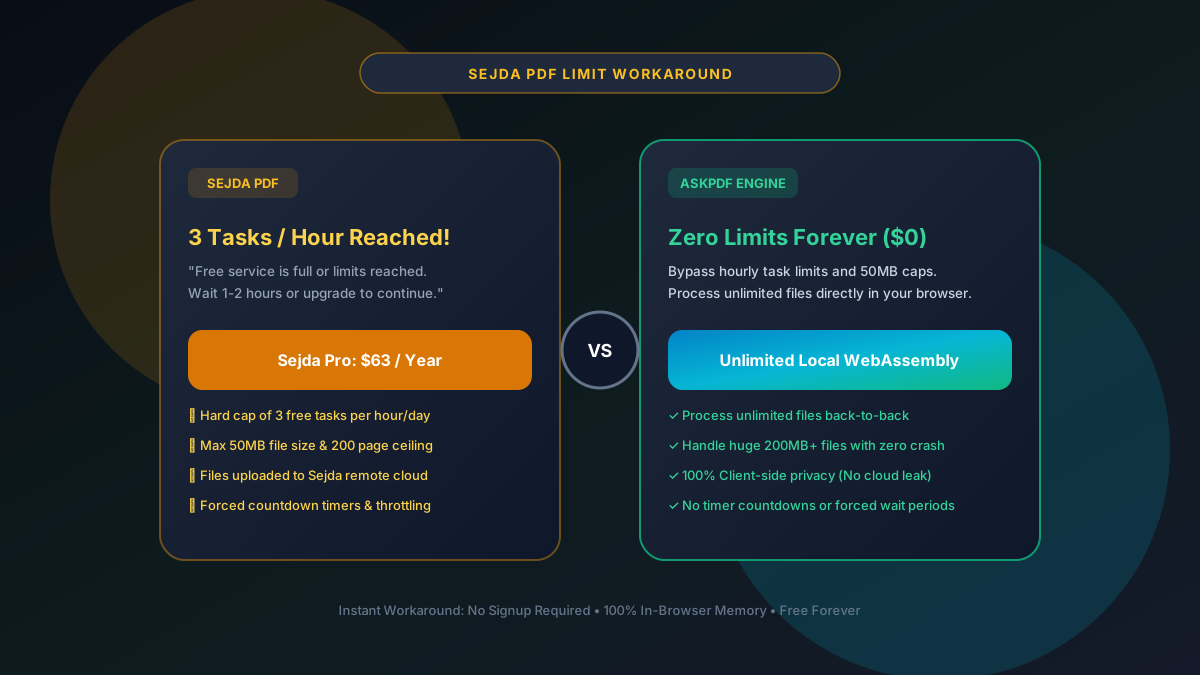
Quick Summary: How to Bypass Sejda PDF Limits for Free (2026)
Sejda PDF enforces a strict limit of 3 free tasks per hour, a 50MB file size ceiling, and a 200-page cap before demanding $63/year. You can bypass all Sejda limits for free using AskPDF.tech, which provides unlimited, in-browser WebAssembly PDF processing with zero hourly caps, zero file size restrictions, and complete document privacy.
| Feature / Metric | Sejda PDF Free Tier | AskPDF.tech (Client Wasm) |
|---|---|---|
| Free Tasks Allowed | 3 tasks per hour (Strict cap) | Unlimited Free Tasks Forever |
| Maximum File Size Limit | 50MB ceiling (Hard block) | No hard limits (Tested up to 500MB) |
| Maximum Page Count | 200 pages maximum | Unlimited Document Pages |
| Document Storage on Servers | Uploaded & stored for 2 hours | 100% In-Browser RAM (0 Uploads) |
| Annual Pro Cost | $63 / Year ($5.25/mo) | $0 Free Open Platform |
Core Takeaway: Hitting Sejda's 3-task hourly limit stops your work dead in its tracks. Instead of waiting an hour or paying $63, AskPDF.tech runs entirely in client memory to process unlimited files back-to-back with zero restrictions.
Hit Sejda's 3 Tasks Per Hour Limit?
Continue your PDF work immediately. No countdown timers, no 50MB file caps, and zero fees.
Why Does Sejda PDF Limit You to 3 Tasks per Hour?
Sejda's business model relies on converting urgent users who are under a deadline. When you have four documents to process and hit their limit on document #3, they present an instant payment modal offering hourly passes ($5) or annual plans ($63).
Because Sejda runs all PDF rendering and rasterization on remote cloud servers, processing heavy documents over 50MB or 200 pages costs them significant computing power.
To protect their server capacity, Sejda implements IP-address throttling and session fingerprinting that blocks your browser as soon as you execute your third operation within a 60-minute window.
The Best Tested Free Alternatives (Ranked & Reviewed)
1. AskPDF.tech — Instant In-Browser Unlimited Workaround
Instant Fix • Zero LimitsAskPDF is the fastest direct workaround when Sejda blocks your session. Simply open AskPDF in a new tab, drag your remaining files, and process them immediately with zero countdown timers.
2. PDF24 Creator Offline — Complete Local Freedom
Free Desktop SuitePDF24's installable desktop client for Windows operates entirely on your local machine with no internet connection required.
3. Stirling-PDF — Self-Hosted Private Web Portal
Open Source / DockerStirling-PDF lets you host your own private Sejda/iLovePDF clone on your own local server or cloud VPS without limits.
4. Incognito / IP Reset Trick (Why It Often Fails)
Common WorkaroundMany users attempt to bypass Sejda by opening an Incognito window or clearing cookies. While this clears cookie tracking, Sejda also tracks your public IPv4/IPv6 address.
5. LibreOffice Draw — Offline Text & Vector Editor
Open Source EditorIf you were using Sejda specifically for text editing and ran out of tasks, LibreOffice Draw offers full in-place text editing offline.
How to Bypass Sejda Limits and Finish Your Work Now
Do Not Pay Sejda's $63/Year Upgrade Fee
When Sejda displays the 'Hourly Limit Reached' modal, close the tab. You do not need to wait 60 minutes or enter credit card information.
Open AskPDF.tech in Your Browser
Go directly to AskPDF.tech. Select your required tool (Compress, Convert, or Merge). AskPDF has zero session tracking or hourly task counters.
Process Unlimited Files Instantly
Drop your files into AskPDF. Your computer's processor completes the operation in seconds via WebAssembly. Download your result with zero watermarks.
Understanding Server Costs: Why Sejda Must Throttle You
Every time you compress or edit a PDF on Sejda, their cloud backend must spin up a worker thread, download your 50MB file, run Java/C++ libraries to manipulate the PDF binary tree, re-render preview raster tiles, and store the output on SSD storage for 2 hours.
Multiply this by hundreds of thousands of concurrent users, and server bandwidth and CPU costs quickly become unsustainable without hard usage limits. By contrast, AskPDF compiles the processing code into WebAssembly that runs inside your browser. Because you provide the CPU power, AskPDF never needs to charge you or throttle your work.
Frequently Asked Questions
Q:What are Sejda PDF's free tier limits?
Sejda's free service limits users to 3 tasks per hour, a maximum file size of 50MB, and documents up to 200 pages. Once you hit any of these limits, you are blocked by a payment modal offering hourly passes ($5) or annual plans ($63).
Q:How can I bypass Sejda's 3 tasks per hour limit immediately?
The fastest free workaround is to open AskPDF.tech in a new browser tab. AskPDF does not enforce hourly task limits, daily counters, or wait timers. You can process dozens of files consecutively in browser RAM without delays.
Q:Does opening an Incognito window bypass Sejda's limits?
Usually no. While Incognito clears local browser cookies, Sejda tracks your public IP address and browser fingerprint on their cloud servers. If other people on your Wi-Fi or office network use Sejda, you may even be blocked before your first task.
Q:Can AskPDF process PDF files larger than Sejda's 50MB cap?
Yes! Because AskPDF uses your computer's local memory rather than remote cloud server workers, it easily processes large scans, blueprints, and multi-hundred-page archives exceeding 100MB to 500MB with zero crashes or size blocks.
Q:Is Sejda's paid Pro plan worth it compared to free tools?
Sejda Pro costs $63 per year ($5.25/month). If you only need direct in-place typo editing on PDF text, Sejda Pro has a good editor. However, for everyday compression, conversions, merging, and AI summarization, AskPDF offers identical or superior capabilities 100% free.
Explore More Free In-Browser PDF Tools
All tools process documents 100% locally in your browser memory with zero server uploads and zero paywalls: