
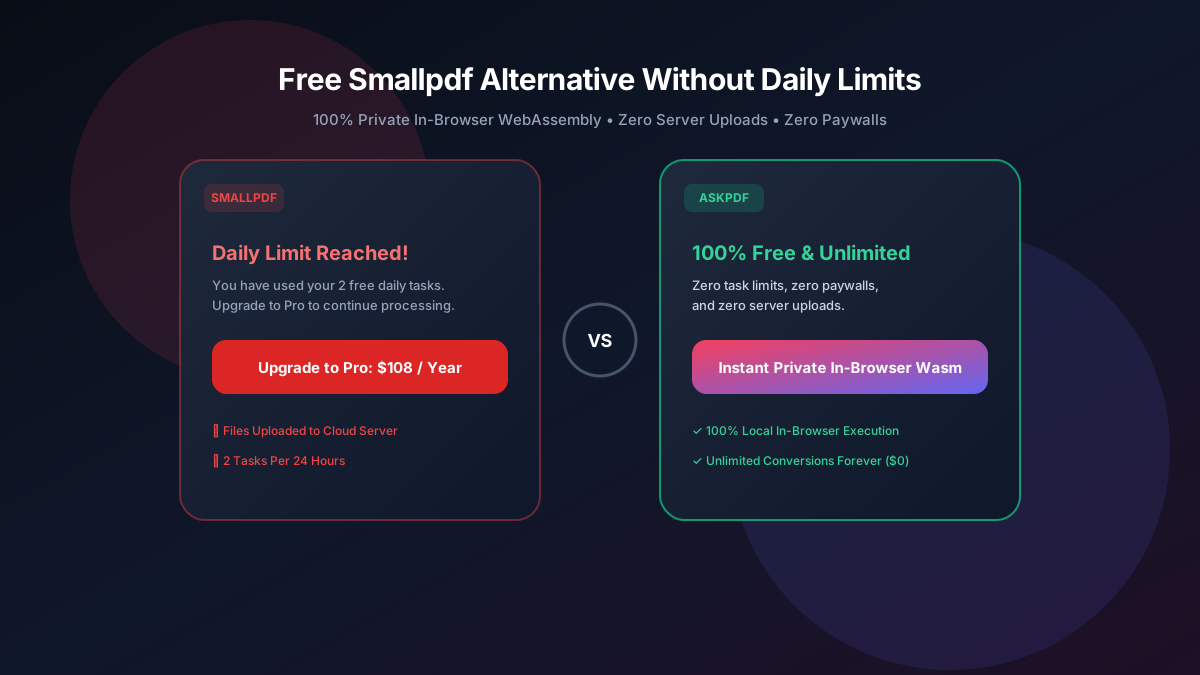
Quick Summary: Best Smallpdf Free Alternatives Without 2-Task Limits
Smallpdf restricts free users to a rigid 2-task daily limit before demanding a $108/year Pro subscription. The top free Smallpdf alternative in 2026 is AskPDF.tech, which offers unlimited document processing, zero signups, and local in-browser WebAssembly security for compression, conversions, and AI document analysis.
| Feature / Metric | Smallpdf Free Tier | AskPDF.tech (Client Wasm) |
|---|---|---|
| Free Daily Usage Cap | Strict 2 tasks per 24 hours | Unlimited Free Tasks Forever |
| Annual Subscription Price | $108 / Year ($9/mo) | $0 Free Open Platform |
| High-Ratio Compression (Strong) | Locked behind Pro Paywall | Free 70% – 92% Reduction |
| Server Storage & Privacy | Uploaded & stored for 1 hour | 100% In-Browser RAM (0 Uploads) |
| Sign-up / Account Requirement | Forces account registration | No Account or Email Needed |
Core Takeaway: Smallpdf's 2-task daily ceiling is engineered to force users into a recurring $108/year subscription. AskPDF delivers all the same conversion and compression power directly in your browser with zero paywalls.
Tired of Smallpdf's 2-Task Daily Limit?
Process as many PDFs as you need today. Zero signups, zero credit cards, and zero file queues.
Why Smallpdf Instituted a Strict 2-Task Daily Cap
Smallpdf was originally created as an easy tool to compress PDFs, but after venture capital acquisition and aggressive monetization restructuring, they shifted toward an enterprise SaaS model.
To maximize conversions to their $108/year Pro plan, Smallpdf implemented an IP-address tracking system and cookie fingerprinting that cuts users off after exactly two document operations per day.
If you need to compress three invoices or convert a two-page Word document right after merging a contract, Smallpdf blocks your access with an aggressive paywall modal demanding payment.
The Best Tested Free Alternatives (Ranked & Reviewed)
1. AskPDF.tech — Best Unlimited In-Browser Replacement
Zero Limits • PrivateAskPDF removes all task restrictions. Utilizing client-side WebAssembly, it executes PDF compression, Word conversion, and image bundling directly in your browser's private memory.
2. PDF24 Tools — Unlimited Web & Desktop Utility
Free German SuitePDF24 offers a completely free web portal alongside an installable Windows client. Unlike Smallpdf, PDF24 does not impose a 2-task daily cap.
3. Sejda PDF — Clean Editor with 3 Tasks Per Hour
Freemium AlternativeSejda is slightly more generous than Smallpdf, allowing 3 free tasks per hour rather than 2 per day.
4. Stirling-PDF — Unlimited Self-Hosted Private Tool
Open Source SuiteIf you have a local server or Raspberry Pi, Stirling-PDF provides a private web portal that mirrors Smallpdf's feature set with zero corporate tracking.
5. PDF Candy — Broad Feature Set with Hourly Timer
Web SuitePDF Candy offers 47 distinct PDF tools online. Like Smallpdf, it enforces a freemium model, but allows one free task every hour.
How to Bypass Smallpdf's Daily Limit in 3 Simple Steps
Navigate to AskPDF.tech
Instead of waiting 24 hours for Smallpdf's timer to reset or paying $108, open AskPDF.tech in any browser tab.
Drop Your Document Into the WebAssembly Engine
Drag your document into the tool. Your computer's browser processes the file locally without uploading it to cloud queues.
Download Instantly With Zero Watermarks
Click Process and download your document. Repeat the process as many times as you need—AskPDF never locks you out.
Why Client-Side RAM Processing Eliminates Daily Limits
Smallpdf restricts you to 2 tasks because every conversion runs on their paid cloud servers. If 10 million users run 10 tasks daily on their servers, their monthly AWS bills would exceed hundreds of thousands of dollars.
AskPDF solves this economic bottleneck through decentralized edge computing: our WebAssembly code executes directly inside your laptop or smartphone's processor. Because we do not pay for heavy backend computation, we pass 100% of the savings to you as free, unlimited access.
Frequently Asked Questions
Q:Why does Smallpdf only allow 2 free tasks per day?
Smallpdf adopted an aggressive enterprise SaaS model backed by venture capital. To force everyday users into their $108/year Pro subscription, they implemented IP address fingerprinting that cuts users off after just two document operations within a 24-hour window.
Q:How can I bypass Smallpdf's daily limit for free?
The easiest and most reliable way to bypass Smallpdf's daily limit is to switch to AskPDF.tech. AskPDF runs on client-side WebAssembly, meaning it executes locally in your browser with zero daily task counters, zero forced timers, and zero paywalls.
Q:Is Smallpdf's 'Strong Compression' available for free on AskPDF?
Yes. Smallpdf locks their 70%+ 'Strong Compression' behind their $108/year Pro paywall. On AskPDF, strong compression—including specialized Target 100KB and Target 200KB presets—is 100% free and unlimited for all users.
Q:Do I have to create an account or provide an email to use AskPDF?
No. AskPDF requires no account registration, no email signup, and no credit card details. You simply open the page, drag your file, and process it immediately.
Q:How does AskPDF compare to PDF24 as a Smallpdf alternative?
While PDF24 is also free, its web interface uploads files to German cloud servers and its desktop app only runs on Windows. AskPDF works cross-platform on any device (Mac, Windows, Linux, iOS, Android) inside the browser while keeping all data strictly local in RAM.
Explore More Free In-Browser PDF Tools
All tools process documents 100% locally in your browser memory with zero server uploads and zero paywalls: