
Quick Summary: Best Free SodaPDF Alternatives Without Watermarks (2026)
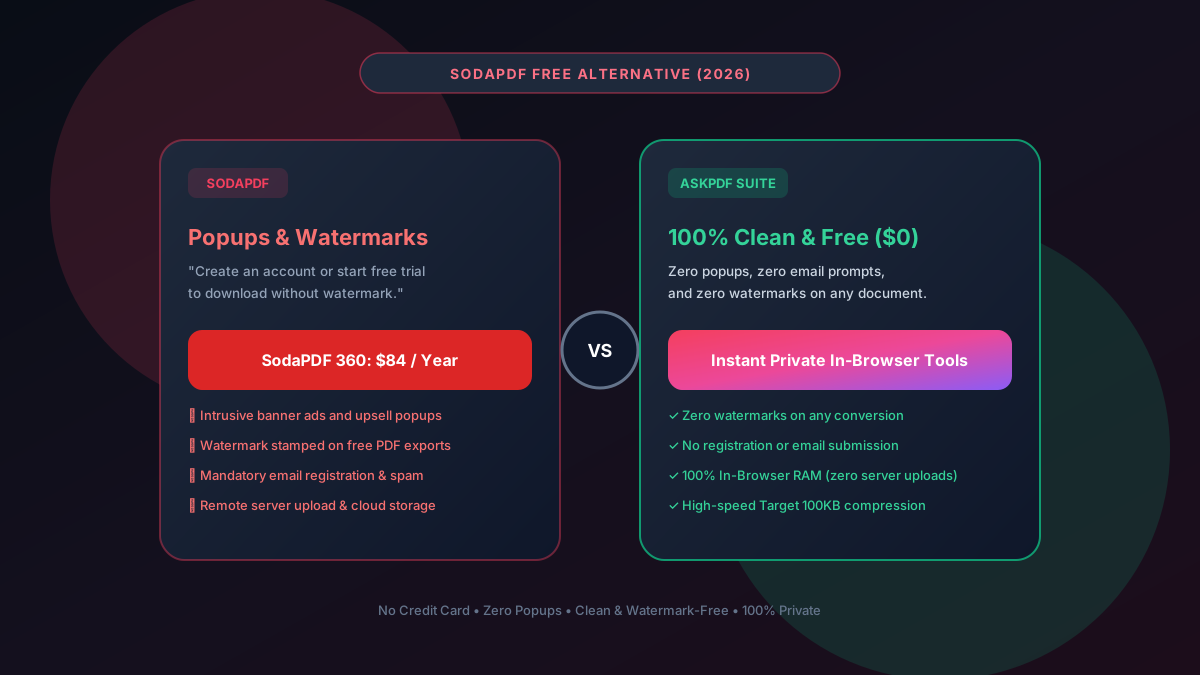
SodaPDF enforces intrusive upsell modals, mandatory account creation, and watermarks on free PDF exports before asking for $84/year. The #1 free alternative in 2026 is AskPDF.tech, which provides clean, watermark-free conversions, high-ratio compression, and zero accounts directly in browser RAM.
| Feature / Metric | SodaPDF Free Tier | AskPDF.tech (Client Wasm) |
|---|---|---|
| Watermarks on Exported Files | Watermarked on free tier | 100% Watermark-Free ($0) |
| Account / Email Registration | Mandatory email registration | Zero Signups / No Email |
| Daily / Hourly Limits | Strict daily conversion caps | Unlimited Free Conversions |
| Target 100KB Compression | No (Generic slider) | Dedicated 100KB/200KB presets |
| File Privacy & Storage | Uploaded to cloud servers | 100% In-Browser RAM (0 uploads) |
| Annual Subscription | $84 / Year ($7/mo) | $0 Forever Free |
Core Takeaway: SodaPDF clutters your workflow with popups, forced email registrations, and branding stamps on your exported documents. AskPDF runs entirely inside your browser to provide completely clean, watermark-free PDF tools with zero signups.
Process PDFs Without Watermarks or Popups
Experience fast, ad-free document editing and compression with zero watermarks.
Why SodaPDF Enforces Watermarks and Aggressive Popups
SodaPDF relies on an aggressive top-of-funnel marketing strategy designed to capture user emails and convert them into recurring $84/year subscribers.
When a user finishes a conversion or edit on their free tier, SodaPDF often places a branded watermark banner across the bottom of pages or prompts the user with an unskippable full-screen paywall modal.
Furthermore, SodaPDF uploads documents to their remote servers where temporary files are stored, posing significant data security issues for confidential contracts, medical charts, and financial statements.
The Best Tested Free Alternatives (Ranked & Reviewed)
1. AskPDF.tech — Best Zero-Watermark In-Browser Suite
Clean • 100% FreeAskPDF is designed from the ground up to respect user productivity. It provides compression, Word conversion, and PDF merging with zero watermarks, zero ads, and zero account prompts.
2. PDF24 Creator — Best Free Offline Alternative
Free Desktop SuitePDF24 offers an offline Windows desktop toolkit that performs all PDF operations locally without injecting watermarks.
3. LibreOffice Draw — Best for Modifying PDF Content
Open Source SuiteLibreOffice Draw enables direct in-place editing of text, shapes, and images inside PDF files with zero license fees.
4. Stirling-PDF — Self-Hosted Private Tool
Open Source / DockerStirling-PDF allows you to run your own private PDF conversion web server using Docker.
5. SimplePDF — Clean Web Form Filler
Privacy FocusedSimplePDF is an ad-free in-browser tool specifically optimized for filling forms and signing PDFs.
How to Convert and Edit PDFs Without Watermarks
Select Your Tool on AskPDF
Open AskPDF.tech and pick Compress, Convert to Word, or Images to PDF. No login or email required.
Process in Client-Side RAM
Your file is processed in fractions of a second inside your browser's private memory.
Download Clean Watermark-Free File
Save your document instantly. There are no watermark stamps, branded headers, or hidden fees.
Why WebAssembly Eliminates Watermark Traps
Legacy cloud PDF SaaS companies add watermarks to free files as a punitive measure: if you don't pay their server costs, they use your documents as promotional billboards.
Because AskPDF compiles PDF manipulation libraries directly into WebAssembly (Wasm) that executes on your machine, our operating costs are near zero. We never need to stamp your documents with branding to recoup server expenses.
Frequently Asked Questions
Q:Why does SodaPDF add watermarks to free PDF files?
SodaPDF uses free watermarking as a monetization lever. To force users to purchase their $84/year SodaPDF 360 subscription, they watermark exported documents or prompt users with aggressive account creation walls.
Q:How can I convert and edit PDFs without SodaPDF's watermark?
Use AskPDF.tech. AskPDF executes all operations inside your browser's private WebAssembly memory with zero watermarks, zero branding stamps, and zero paid upgrades on any document.
Q:Does AskPDF require email registration like SodaPDF?
No. AskPDF never asks for your email, username, password, or credit card. You can compress, convert, and merge unlimited documents completely anonymously.
Q:Can AskPDF compress large PDFs without losing sharpness?
Yes. AskPDF features dedicated 'Target 100KB' and 'Target 200KB' presets that downsample background scan noise to 150 DPI while keeping text fonts perfectly sharp as true vectors, achieving 70%+ size reductions.
Q:Is AskPDF safe for confidential business and legal documents?
Yes. While SodaPDF uploads your documents to remote cloud servers, AskPDF runs 100% locally in your device's browser RAM. Not a single byte is uploaded to any server, guaranteeing compliance with HIPAA and GDPR.
Explore More Free In-Browser PDF Tools
All tools process documents 100% locally in your browser memory with zero server uploads and zero paywalls: