
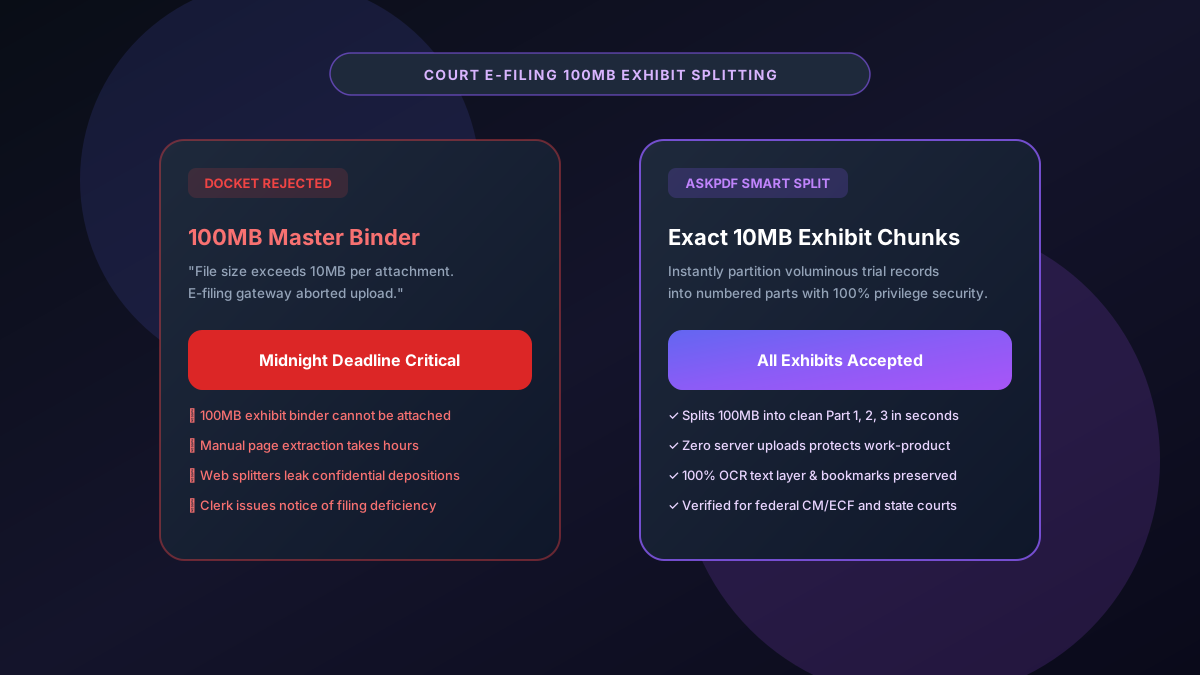
Quick Summary: Splitting 100MB PDF Exhibit Bundles for Court E-Filing
State and federal electronic court filing systems (such as CM/ECF, NYSCEF, and California Odyssey eFile) enforce strict 10MB to 35MB file size limits per attachment. Oversized master briefs and voluminous trial exhibit binders (often 100MB+) are rejected immediately by court docket gateways. AskPDF's Legal Exhibit Splitter enables litigation paralegals and attorneys to divide massive PDFs into exact compliant chunks (Part 1, Part 2, Part 3) with preserved OCR text layers and bookmarks—executing 100% in-browser with zero risk of waiving attorney-client privilege.
| Court E-Filing Metric | Standard Web PDF Splitters | AskPDF Legal Splitter |
|---|---|---|
| Privilege Security (ABA Rule 1.6) | Files sent to remote cloud servers | 100% In-Browser (Zero Data Leaves Device) |
| Precise File Size Partitioning | Splits only by static page count | Intelligent division below court file limits |
| OCR & Searchable Text Layers | Destroys OCR or re-rasterizes text | 100% vector fonts & OCR text preserved |
| Page Bookmarks & Navigation | Bookmarks stripped during export | Hierarchical bookmarks cleanly maintained |
| Page & Size Limits | Paywalls after 50MB ($120/yr) | Unlimited size & pages 100% free |
Core Takeaway: Court dockets reject oversized trial exhibit binders. AskPDF provides litigation teams with a secure, zero-upload tool to partition 100MB+ filings into compliant sub-10MB parts while preserving OCR searchability and attorney-client privilege.
Split Your Court Exhibits Now
Divide oversized briefs and exhibit binders into compliant court-ready parts in seconds.
Why Court Dockets Mandate 10MB to 35MB File Limits
Court electronic filing architectures maintain strict file size quotas to prevent docket server crashes and ensure all case documents can be served electronically to parties of record via automated email notices.
Trial exhibit bundles containing high-resolution documentary evidence, deposition transcripts, and scanned discovery records routinely balloon past 100MB.
Attempting to upload an oversized file produces a fatal docket error right before midnight filing deadlines. Manually extracting pages in basic readers wastes hours and frequently damages internal PDF cross-reference tables.
The Best Tested Free Alternatives (Ranked & Reviewed)
AskPDF Legal Splitter
Litigation Favorite (Free)Zero-knowledge WebAssembly splitting engine built specifically for law firms, paralegals, and legal departments.
Adobe Acrobat Pro
Desktop Standard ($239/yr)Traditional desktop legal software with exhibit splitting features.
Commercial Web Splitters
Severe Ethics HazardStandard web PDF splitters operating on commercial cloud servers.
How to Partition 100MB Exhibit Bundles for Court Dockets
Upload Master Exhibit PDF
Drop your 100MB+ trial record or brief into AskPDF's in-browser splitting workspace.
Define Court Target Size or Ranges
Select split by target size (e.g., sub-10MB chunks) or define specific exhibit page ranges (e.g., 1-45, 46-90).
Download E-Filing Ready Packages
Download your cleanly segmented, labeled exhibit files (Part 1, Part 2) and upload directly to the court docket.
Lossless Cross-Reference Table Partitioning
Traditional PDF splitters often re-render pages into bitmap images before generating new documents, destroying original vector character mappings and OCR text streams.
AskPDF performs structural stream surgery directly within memory. It segments the PDF catalog, page tree, and xref index losslessly, guaranteeing that every extracted chunk retains authentic digital timestamps, vector fonts, and text searchability.
Frequently Asked Questions
Q:Why do state and federal court dockets limit individual PDF filings to 10MB or 35MB?
Court electronic filing systems (like CM/ECF and state appellate portals) restrict file sizes to prevent gateway congestion and ensure documents can be served electronically to all parties of record without email bounce-backs.
Q:How do I split a large exhibit bundle without corrupting OCR or PDF/A compliance?
AskPDF uses WebAssembly to divide PDF cross-reference tables and page trees at exact boundaries without re-rasterizing pages. All vector text, OCR searchability layers, and digital signatures remain intact.
Q:Does splitting confidential litigation files with AskPDF waive attorney-client privilege?
No. Because AskPDF processes documents entirely within your local browser sandbox, zero bytes of deposition testimony, trade secrets, or client disclosures are transmitted to external servers, protecting privilege under ABA Model Rule 1.6.
Q:How should split legal exhibits be labeled for electronic filing?
Follow local court rules. Standard convention is: Main Motion/Brief, followed by Exhibit A (Part 1 of 3), Exhibit A (Part 2 of 3), and Exhibit A (Part 3 of 3), with each file clearly indicating the covered page ranges.
Q:Can AskPDF split a PDF by page ranges as well as individual page bursts?
Yes. AskPDF allows you to specify custom page ranges (e.g., 1-25, 26-50, 51-100) or extract every page into separate individual documents in a single click.
Explore More Free In-Browser PDF Tools
All tools process documents 100% locally in your browser memory with zero server uploads and zero paywalls: