Quick Summary: Splitting Large PDFs for Court CM/ECF and PACER Filings
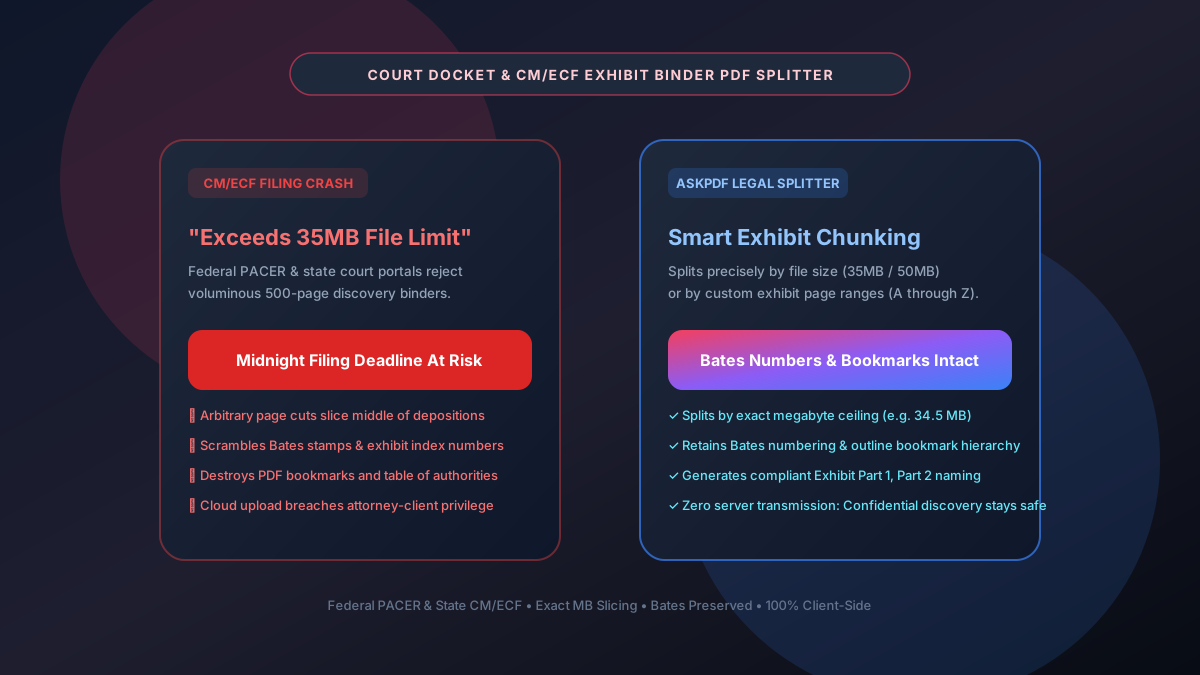
Federal and state court electronic filing systems (CM/ECF, PACER, Odyssey, NYSCEF, and California TrueFiling) strictly enforce document upload limits—typically capping individual PDF files between 35 MB and 50 MB. Voluminous litigation binders, deposition transcripts with exhibits, and administrative records frequently exceed 200 MB, causing portal timeouts and missed midnight filing deadlines. AskPDF.tech provides a specialized legal PDF splitter that partitions massive documents by exact megabyte size caps or exhibit page boundaries while preserving Bates numbers, bookmarks, and internal hyperlinks—with 100% client-side privacy to protect attorney-client privilege.
| Court E-Filing Specification | Standard Consumer PDF Splitters | AskPDF Court Docket Splitter |
|---|---|---|
| Federal CM/ECF File Size Compliance | Random page cuts; no exact MB size target | Splits by precise target cap (e.g. 34.5 MB) |
| Bates Numbering Integrity | Often clips or scrambles Bates stamp margins | Preserves vector Bates stamps and header numbering |
| PDF Bookmarks & Outline Hierarchy | Strips or corrupts table of contents bookmarks | Maintains intact hierarchical outline bookmarks |
| Attorney-Client Privilege Protection | Uploads confidential discovery to cloud servers | 100% In-Browser RAM (Zero cloud exposure) |
| Automated Exhibit Naming | Generic 'file_part1.pdf' names | Custom 'Exhibit A - Part 1' legal docket naming |
| Page Limit & Paywalls | Paywalls files over 50-100 pages | Uncapped: Handles 1,000+ page trial binders free |
Core Takeaway: Filing deadlines cannot wait for trial-and-error splitting. AskPDF partitions massive court discovery binders into perfectly sized CM/ECF segments with intact Bates stamps and bookmarks, 100% offline in browser memory.
Split Voluminous Discovery Binders for Court E-Filing
Partition 500+ page binders into compliant 35MB chunks with preserved Bates stamps.
The Severe Legal Risks of Missed E-Filing Deadlines and Broken Exhibits
Federal Rule of Civil Procedure 6(a) and local district court administrative orders establish strict deadlines (usually 11:59 PM in the court's time zone) for responsive pleadings, summary judgment motions, and appellate briefs. When an attorney attempts to upload a 75 MB discovery appendix to the federal CM/ECF portal, the upload script times out, throwing an unrecoverable 'File Exceeds Maximum Size' error.
Paralegals scrambling under deadline pressure often turn to generic online PDF splitters. These tools arbitrarily divide documents by page counts rather than byte size, resulting in files that still exceed the MB limit or cut deposition transcripts directly through the middle of critical cross-examinations. Worse, generic tools frequently purge PDF outline bookmarks, forcing judicial law clerks to sift through hundreds of unindexed pages—drawing court reprimands or stricken filings.
Most critically, uploading confidential discovery, trade secret depositions, or sealed medical records to public web servers waives work-product doctrine and attorney-client privilege. AskPDF processes all splitting operations locally inside the browser's sandboxed WebAssembly runtime, guaranteeing complete confidentiality.
The Best Tested Free Alternatives (Ranked & Reviewed)
1. AskPDF Court Docket Splitter
Top Pick • Zero-Upload Client-Side Legal ToolTailored for litigation teams facing strict PACER / CM/ECF portal file size constraints.
2. Adobe Acrobat Pro DC 'Split Document'
Commercial Desktop Suite ($239/yr)Desktop PDF suite offering file-size splitting options.
3. Manual Virtual Print-to-PDF
Tedious Manual WorkaroundPrinting custom page ranges through Windows/Mac virtual PDF printer drivers.
How to Split Discovery Binders for CM/ECF E-Filing
Select Massive Court Binder
Drag and drop your 200MB+ litigation binder, deposition record, or exhibit bundle into AskPDF.
Specify Max MB Size or Exhibit Range
Input your target file size ceiling (e.g. 34.5 MB for PACER) or define specific exhibit page intervals.
Download Court-Ready Parts
Instantly download sequentially numbered, CM/ECF-ready PDF segments with preserved bookmarks and Bates stamps.
Incremental Cross-Reference Table Reconstruction & Sub-Object Pruning
When a large PDF is split, simply truncating byte streams corrupts the document's cross-reference (`/XRef`) table and font dictionary linkages. AskPDF's client-side parser traverses the internal indirect object graph (`obj ... endobj`), determining the exact transitive closure of dependencies required for each partitioned page range.
Unreferenced resources (such as orphaned embedded images or unused font glyphs) are pruned, while document outline dictionaries (`/Outlines`) are dynamically rewritten to reflect the new page offset index. This produces lean, perfectly compliant PDF chunks that pass federal CM/ECF pre-flight validation on the first attempt.
Frequently Asked Questions
Q:What is the maximum file size limit for federal court CM/ECF e-filings?
Most federal district and appellate courts enforce a 35 MB to 50 MB limit per PDF attachment on CM/ECF and PACER portals. Larger filings must be partitioned into sequential parts.
Q:Does splitting a large PDF destroy Bates stamps or page numbering?
No. AskPDF extracts page ranges as intact vector objects, preserving all existing Bates numbers, running headers, and margin stamps without distortion.
Q:Will internal PDF bookmarks and table of contents links remain functional?
Yes. AskPDF dynamically updates the internal document outline tree so that bookmarks relevant to the extracted section remain navigable.
Q:How does splitting in local browser memory protect attorney-client privilege?
Because zero document bytes leave your computer, confidential litigation discovery and work-product documents are never exposed to third-party cloud servers or breach risks.
Q:Can I split a multi-hundred-page trial binder into specific exhibit intervals?
Yes. You can specify exact custom page intervals (e.g. Pages 1-45 for Exhibit A, 46-112 for Exhibit B) and download individually labeled court-ready files.
Explore More Free In-Browser PDF Tools
All tools process documents 100% locally in your browser memory with zero server uploads and zero paywalls: