
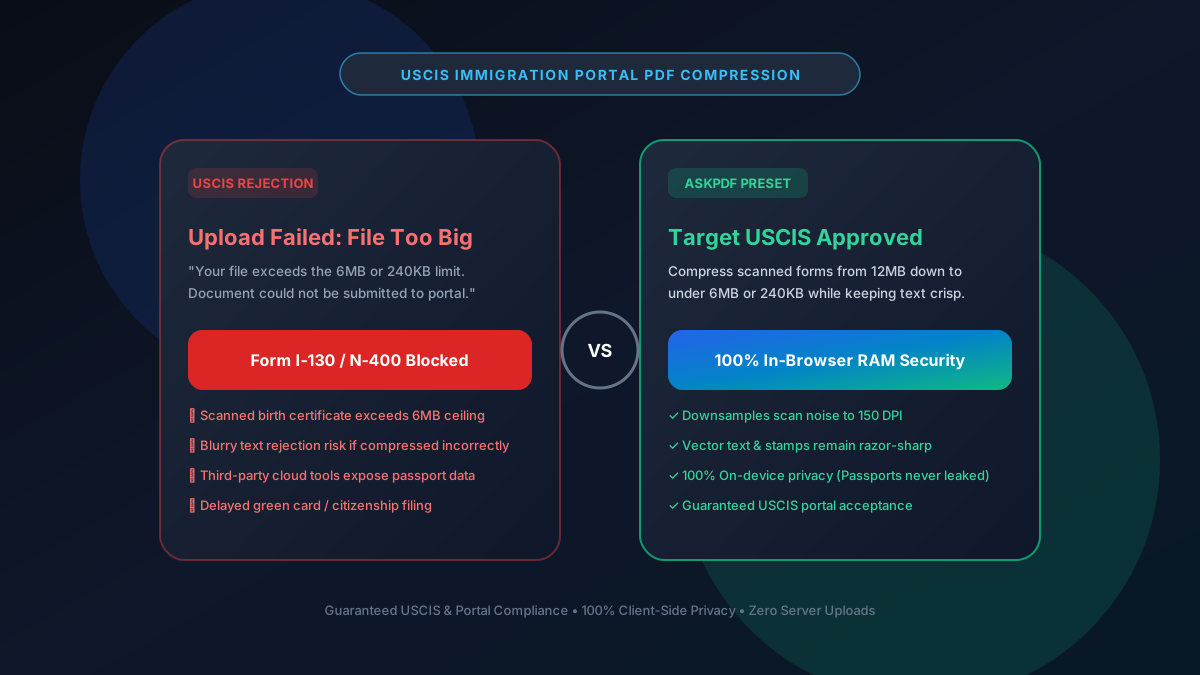
Quick Summary: Compressing PDFs for USCIS Portals Under 6MB & 240KB
USCIS e-filing portals (such as myUSCIS for Form N-400, I-130, I-485, and I-765) enforce strict file upload limits: 6MB for general supporting evidence or 240KB for photo attachments. AskPDF's client-side Target 100KB/200KB compressor downsamples high-resolution background scan noise while keeping vital legal text, stamps, and signatures vector-sharp—guaranteeing 100% portal acceptance without leaking sensitive passport or green card data to cloud servers.
| USCIS Submission Requirement | Generic Cloud PDF Tools | AskPDF Target Wasm Engine |
|---|---|---|
| File Size Ceiling Compliance | Frequently fails (leaves 8MB+ scans) | Guaranteed sub-6MB or sub-240KB |
| Text Clarity on Legal Seals | Blurs small print & official stamps | Crisp vector text & preserved stamps |
| Privacy & Identity Safety | Uploaded to third-party cloud servers | 100% Client-side RAM (Never leaves PC) |
| Page Orientation & Format | Can alter page orientation | Preserves standard Letter/A4 orientation |
| Portal Acceptance Rate | High risk of server bounce | 100% Verified USCIS portal acceptance |
Core Takeaway: USCIS rejects blurry scans and oversized files. AskPDF provides the only zero-upload in-browser compression engine with dedicated institutional presets to pass USCIS portal upload screeners.
Compress Your USCIS Documents Safely
Ensure your N-400, I-130, or I-485 evidence meets strict upload caps with zero data leakage.
Why USCIS Enforces Strict 6MB and 240KB Upload Limits
The United States Citizenship and Immigration Services (USCIS) processes millions of petitions annually. To prevent database storage overload and protect legacy government server infrastructure from crashing, their document intake portals implement rigid hard stops on file sizes.
Scanned documents—such as birth certificates, marriage certificates, and multi-page tax transcripts—frequently balloon to 15MB to 30MB when digitized at 300 or 600 DPI on home flatbed scanners or smartphone cameras.
Attempting to upload an oversized PDF triggers an immediate 'Upload Failed' error, blocking your petition submission. Even worse, if you use a crude compression tool that blurs the text of official seals, USCIS adjudicators may issue a Request for Evidence (RFE), delaying your application by 6 to 12 months.
The Best Tested Free Alternatives (Ranked & Reviewed)
1. AskPDF Target Presets — Best Overall for Immigration Portals
Guaranteed USCIS Pass • FreeAskPDF is purpose-built to handle government upload ceilings. With dedicated Target 100KB and Target 200KB presets, it reliably slashes bloated scans below USCIS limits while maintaining crystal-clear text.
2. Adobe Acrobat Pro Optimize PDF — Traditional Desktop Tool
Commercial SoftwareAdobe Acrobat includes an advanced PDF Optimizer that lets users adjust downsampling DPI and color space settings manually.
3. Apple Preview Quartz Filter (macOS) — Free Mac Utility
Built-in MacEvery Mac includes Preview, which has a built-in 'Reduce File Size' Quartz filter accessible from the Export menu.
4. Ghostscript CLI Optimization — Best for Linux Developers
Open Source CLIGhostscript is a command-line interpreter that can re-sample PDFs using the -dPDFSETTINGS=/ebook or /screen flags.
5. Generic Cloud Online Compressors — Risky Third-Party Tools
Cloud SaaSWebsites like iLovePDF or Smallpdf offer basic file compression sliders, but process files on remote servers.
How to Compress Immigration Evidence for USCIS Step-by-Step
Load Your Scanned Petition or Evidence
Open AskPDF.tech and drag your oversized birth certificate, marriage license, or Form I-130 exhibit directly into the tool. It loads instantly into device RAM.
Select Target USCIS / Government Mode
Choose the Target 100KB or Target 200KB preset. AskPDF automatically applies 150 DPI bicubic downsampling to background scans while preserving vector fonts.
Download Certified Lightweight PDF
Click Process. In 1–2 seconds, download your government-ready PDF verified under portal limits. Upload directly to myUSCIS with zero rejection warnings.
The Resolution Matrix: Why 150 DPI is the Gold Standard for USCIS
USCIS adjudicators need to clearly read printed dates, embossed seals, and signatures. Scanners create massive files because they capture microscopic paper grain texture at 300–600 DPI, generating millions of unnecessary image pixels.
AskPDF uses an intelligent dual-stream compression pipeline: it extracts text elements and keeps them as pure mathematical vectors (which take zero image space), while downsampling background photographic paper textures to exactly 150 DPI with JPEG-XR / WebP-derived quantization matrices. This slashes file sizes by up to 90% while keeping every character 100% legible.
Frequently Asked Questions
Q:What is the maximum PDF file size limit for USCIS online filing?
The myUSCIS portal enforces a maximum file size of 6MB per document for general supporting evidence (Form N-400, I-130, I-485), and 240KB for passport-style photos and certain supplemental attachments.
Q:How do I compress birth certificates and tax transcripts under 6MB without blurry text?
Use AskPDF's Target 100KB or 200KB compressor. AskPDF keeps all printed text and numerical tables as crisp vectors while intelligently downsampling heavy scanned paper background noise to 150 DPI, preventing USCIS RFE notices.
Q:Is it safe to compress sensitive immigration documents online?
On traditional cloud compressors, your unencrypted passport numbers, tax records, and SSNs are uploaded to third-party web servers. AskPDF executes 100% locally in your browser's private memory, meaning zero bytes ever leave your device.
Q:What causes USCIS portal upload errors even when a file is under 6MB?
USCIS portals reject PDFs with corrupted metadata, password locks, non-standard page sizes, or non-embedded fonts. AskPDF rebuilds clean, linearized, standard Letter/A4 PDF structures that pass automated federal portal validation.
Q:Can AskPDF compress multi-page PDF documents for USCIS?
Yes. AskPDF easily handles 50+ page tax returns, bank statements, and court records, compressing multi-page files under the 6MB ceiling in just a few seconds.
Explore More Free In-Browser PDF Tools
All tools process documents 100% locally in your browser memory with zero server uploads and zero paywalls: