
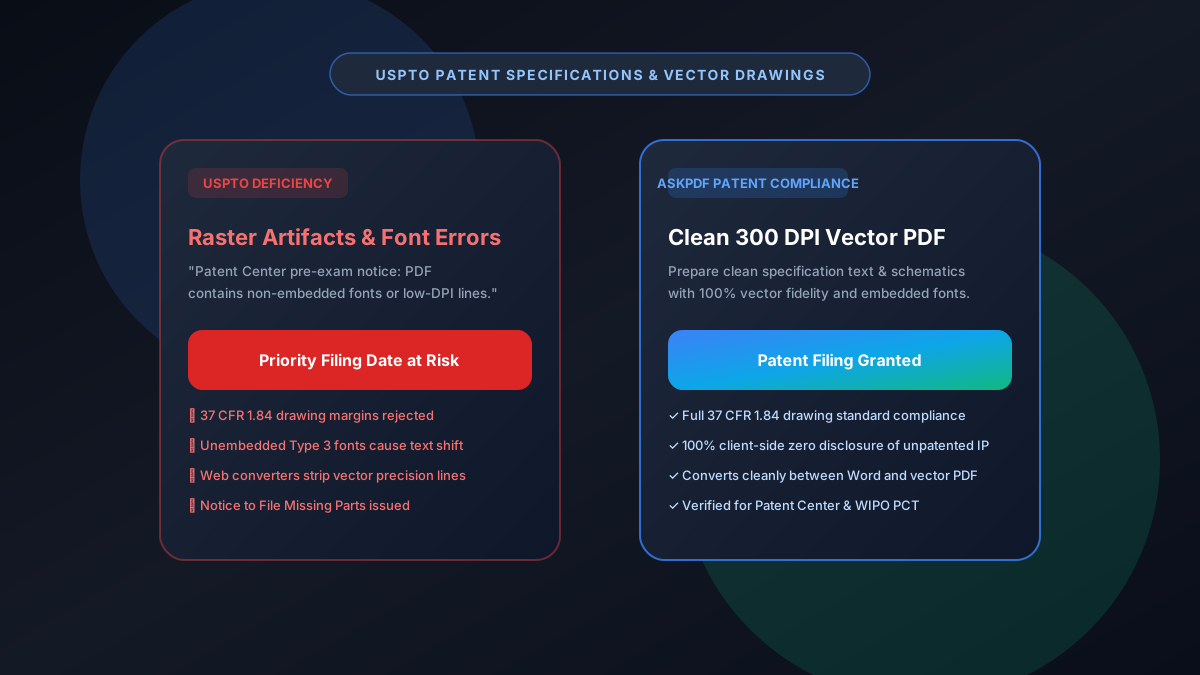
Quick Summary: USPTO Patent PDF Specifications & Vector Guidelines
The United States Patent and Trademark Office (USPTO) Patent Center and EFS-Web enforce strict document standards under 37 CFR 1.52 and 1.84. Filings must have 100% embedded fonts, US Letter or A4 dimensions, at least 2.5 cm margins, and 300 DPI vector-accurate drawings without color gradients. Applications failing these guidelines trigger formal Notices to File Corrected Application Papers, threatening priority filing dates. AskPDF provides patent practitioners and inventors with a private, client-side PDF toolset to format, convert, and verify patent specifications with zero cloud exposure of unpatented IP.
| USPTO Patent Requirement | Standard Cloud PDF Tools | AskPDF Patent Document Suite |
|---|---|---|
| Pre-Filing IP Confidentiality (35 U.S.C. 102) | Exposes draft claims to cloud servers | 100% In-Browser (Zero Data Leaves Device) |
| Mandatory Font Embedding (37 CFR 1.52) | Leaves system fonts non-embedded | Ensures 100% embedded TrueType/PostScript fonts |
| 300 DPI Technical Drawing Line Fidelity | Applies lossy blur to schematics | Pristine vector line weights & cross-hatching |
| Word DOCX to PDF Specification Conversion | Shifts margins and equation formatting | Flawless margin compliance & equation layout |
| Cost & Usage Limits | Expensive seat licensing | Completely free with unlimited conversions |
Core Takeaway: Unfiled patent disclosures must never be uploaded to third-party web servers. AskPDF ensures full compliance with USPTO 37 CFR 1.52 and 1.84 guidelines with 100% private, client-side document processing.
Prepare USPTO-Compliant Patent PDFs
Convert and verify patent specifications and drawings with zero cloud disclosure risks.
Why the USPTO Enforces Uncompromising PDF Standards
Patent applications represent enforceable commercial monopolies that must remain visually reproducible for decades. Under 37 CFR 1.52 and 1.84, the USPTO Patent Center automatically scans uploaded PDFs for non-embedded fonts, non-standard page sizes, and low-resolution schematics.
If a PDF contains non-embedded fonts, the Patent Center intake gateway flags the file with a critical pre-examination error. When patent drawings contain lossy JPEG artifacts or line weights below 0.32 mm (1/72 inch), examiners issue formal deficiency notices.
Critically, using public cloud conversion tools to prepare draft patent applications constitutes a potential public disclosure under 35 U.S.C. 102, which can invalidate patentability in absolute novelty jurisdictions like Europe and Japan.
The Best Tested Free Alternatives (Ranked & Reviewed)
AskPDF Patent Suite
IP Safe (Recommended)Zero-knowledge client-side conversion and verification tool built specifically for inventors and patent attorneys.
Adobe Acrobat Pro
Industry Standard ($239/yr)Desktop software offering Preflight compliance checks for PDF/A and USPTO presets.
Public Cloud Document Converters
Severe Patent Invalidation HazardGeneric web converters that process files on remote multi-tenant servers.
How to Prepare Patent Documents for USPTO Patent Center
Format Specification & Claims
Ensure margins are at least 2.5 cm on top and left, and format claims with consecutive line numbering in Word.
Convert to Vector PDF Locally
Use AskPDF to convert your specification and claims directly in-browser, embedding all character sets and fonts.
Verify Technical Drawings (37 CFR 1.84)
Ensure all patent drawing sheets are 300 DPI monochrome vectors without gray gradients before uploading to Patent Center.
Strict Font Subsetting and Vector Coordinate Integrity
The USPTO's electronic filing gateway inspects PDF FontDescriptor dictionaries to ensure every character code maps directly to an embedded TrueType or Type 1 font program. Missing font descriptors cause text displacement when examined on USPTO systems.
AskPDF compiles complete font character subset mappings and preserves exact vector coordinate precision for patent schematics, guaranteeing that complex cross-sectional views, reference numerals, and flowcharts pass USPTO automated compliance verification without defect notices.
Frequently Asked Questions
Q:What are the mandatory PDF requirements for USPTO Patent Center filings?
Under 37 CFR 1.52 and 1.84, the USPTO requires PDF files to have all fonts embedded, page dimensions set to standard US Letter (8.5 x 11 inches) or A4, margin compliance of at least 2.5 cm top/left, and drawings submitted at 300 DPI resolution without color gradients.
Q:Why does USPTO EFS-Web reject PDFs with the error 'Document contains non-embedded fonts'?
The USPTO archiving system requires permanent long-term visual fidelity. If a PDF references system fonts without embedding them, the Patent Center intake gateway halts submission to prevent document appearance shifts across different workstations.
Q:Why is converting patent specifications using cloud converters dangerous?
Unpublished patent applications contain confidential intellectual property. Under 35 U.S.C. 102, public disclosure before filing can destroy patentability worldwide. Transmitting draft patent claims to cloud PDF tools risks commercial IP exposure.
Q:How does AskPDF assist patent attorneys and inventors with patent filings?
AskPDF enables private client-side conversion between Microsoft Word DOCX and vector PDF formats, ensuring clean font embedding, margin preservation, and zero data transmission over the web.
Q:Can AskPDF prepare patent drawings compliant with 37 CFR 1.84 line weight rules?
Yes. AskPDF preserves crisp black-and-white vector linework and cross-hatching, avoiding lossy compression artifacts that could result in a Notice to File Corrected Application Papers.
Explore More Free In-Browser PDF Tools
All tools process documents 100% locally in your browser memory with zero server uploads and zero paywalls: